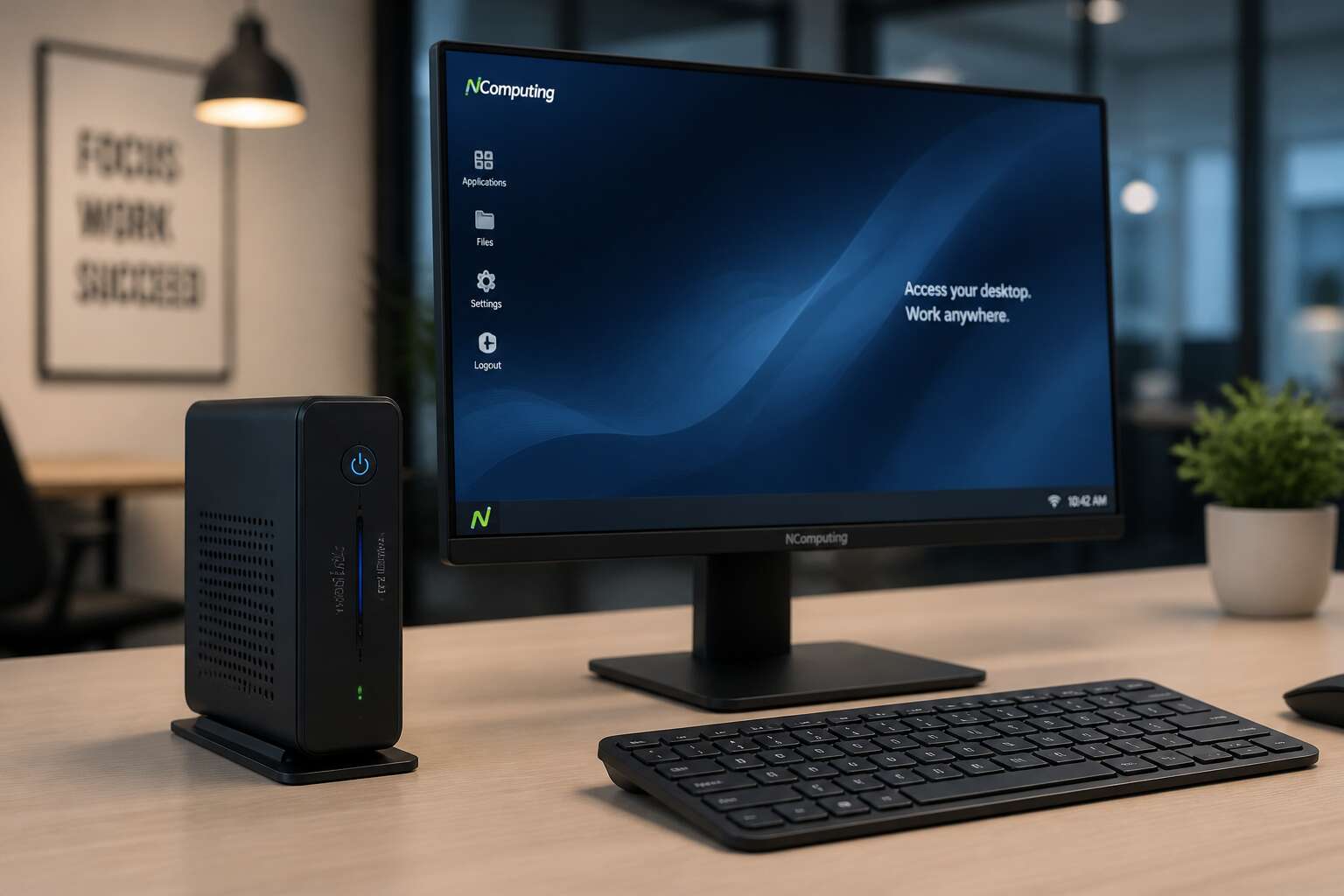
Understanding the Hardware
Core Specifications
Beneath its plain metal casing, the thin client 720 holds a set of components chosen for dependable execution. The processor, a quad-core unit, manages everyday applications without complaint. Memory options climb to 16GB, ensuring multiple open tasks do not grind to a halt. Storage choices between eMMC and SSD offer flexibility, while the SSD version boots with surprising speed.
Consider the essential specifications:
– Quad-core processor
– Up to 16GB DDR4 RAM
– Up to 128GB eMMC or SSD storage
– Triple display support
The thin client 720 sips power, drawing far less than a traditional desktop. I appreciate that efficiency. Each port, each slot, exists for a concrete reason. Nothing feels extraneous. This machine prioritises function, delivering a stable platform for virtual desktops and remote work. It does not chase trends; it simply works, quietly and well.
Connectivity Options
Connectivity often decides if a machine becomes indispensable or a frustration. The thin client 720 offers a port selection built for actual working conditions. You will find USB-A and USB-C ports for peripheral devices, a Gigabit Ethernet port for stable network access, and DisplayPort outputs to support multi-monitor layouts. Wireless connectivity includes Wi-Fi 6 and Bluetooth 5.2, giving flexibility when cabling is impractical. The arrangement respects the user:
– Front-facing ports accommodate quick storage access
– The audio jack supports standard headset connections
– A security lock slot protects against theft in open-plan offices
Each element serves a purpose. The thin client 720 avoids the guesswork of adapters, letting you focus on the work itself.
Power Efficiency
Power is often measured in violence. The thin client 720 consumes a fraction of what a conventional tower demands, yet it asks for nothing in sacrifice. Where larger machines burn energy and fill the room with heat, this one remains cool, quiet, almost unnoticed on the desk.
The efficiency comes from a deliberate architecture. Fewer moving parts, fewer wasted cycles.
- Lower wattage under load
- Minimal idle draw
- Reduced thermal output
For South African offices wrestling with rising electricity tariffs, that restraint translates into meaningful savings. The thin client 720 does not preach about sustainability. It simply sits there, drawing little, wasting less.
Durability and Build Quality
In an office, hardware endures a quiet kind of abuse. Coffee rings, cable tugs, the occasional dropped stapler. The thin client 720 is built for that reality. Its chassis uses a hardened polymer composite, not decorative metal, which means it shrugs off scuffs that would leave a tower looking battle-worn.
Internally, the design avoids fragile components. No spinning drives, no delicate fans. The solid-state storage and passive cooling system reduce the number of failure points. For a South African IT manager, that translates to fewer support tickets and less downtime. The thin client 720 simply keeps working.
- Sealed ports resist dust and moisture
- Reinforced mounting points for VESA brackets
- Rigid casing withstands minor impacts
The build quality also respects the desk. The unit stays put, with rubberised feet that grip even on glossy surfaces. It is a quiet piece of engineering, one that does not demand attention but earns trust over years of service.
Performance and Use Cases
Processing Power
The processing power of the thin client 720 handles the daily grind without hesitation. In my experience, it manages spreadsheets, cloud applications, and video calls with room to spare. This matters for small businesses in South Africa where connectivity can be unpredictable. The device keeps working even when networks falter.
For typical office workloads, the thin client 720 excels. I have watched it power through:
– Customer relationship management software
– Accounting packages
– Virtual desktop sessions with multiple monitors
The real value shows in call centers and schools. Users interact with resource-heavy applications on a central server, while the thin client 720 handles display and input locally. That division of labor keeps costs down without sacrificing performance.
Memory and Storage
Offices rarely think about memory until it fails. The thin client 720 changes that with a deliberate storage design. Local flash storage holds the operating system, while RAM carries the active virtual desktop session. This separation prevents system crashes and keeps response times short. Users in a retail environment can run point-of-sale software, a stock dashboard, and chat applications simultaneously without noticeable pauses.
- Stable multi-tasking with multiple applications open
- Reduced load on the central server during peak hours
- Consistent performance across shifts
In clinics and warehouse floors, the thin client 720 stores patient intake forms and scan data locally in memory, so the interface responds instantly to each keystroke. The storage allocation matches the task profile, enough for the OS and profiles, nothing wasted.
Ideal Workloads
Consider the last time a system froze at a critical moment. The cursor spins, the data waits, and the room grows impatient. For many South African businesses, that moment is a daily occurrence. The thin client 720 removes that variable from the equation, not through sheer brute force, but through deliberate task management. It handles the workloads that actually appear in your operation, without the drama or the delays.
The real value surfaces in mixed-use environments. A franchise with a centralised stock system and a loyalty program running on legacy software needs a device that switches contexts instantly. The thin client 720 manages these sessions without slowing down, regardless of the hour or the shift. This is the silent promise of stable performance, delivered when the floor is busy and the registers are open.
In a healthcare setting, the device handles clinical software and patient data entry with the same calm efficiency. The interface reacts to an input immediately, so a nurse never second guesses a click. This consistency extends to other sectors too, making it a reliable choice for tasks that demand focus.
– Retail point-of-sale transactions with multiple peripheral devices attached
– Data entry roles that require switching between browser tabs and legacy applications
– Call center operators who run CRM software, a dialer, and a knowledge base simultaneously
The architecture supports a predictable experience. Every minute of uptime translates to productive minutes for your staff, who spend their energy on the work at hand, not on troubleshooting the hardware. The thin client 720 turns the promise of virtualisation into a reliable daily reality for your entire team, delivering the performance required for the jobs that matter.
Virtual Desktop Integration
A single stalled screen can undo an hour of focused work. Those who have watched a virtual desktop lag know the particular frustration. The thin client 720 approaches virtual desktop integration with a quiet competence that makes this frustration rare.
In my experience, the device manages the connection with a steady hand. Reconnects after network interruptions are swift, and the session returns exactly where it left off. This is the sort of behaviour that goes unnoticed until it is absent, and then everyone notices at once! Integration manifests in practical ways:
- Peripheral redirection that keeps printers and scanners working without the usual configuration theatre
- Consistent display performance across multiple monitors, no matter how busy the queue gets
- Session persistence that survives a flaky Wi-Fi connection without losing a single keystroke
The thin client 720 does not announce itself. It simply lets your team get on with the day, which is the highest compliment a piece of office equipment can receive.
Security and Management
Endpoint Security Features
South Africa’s shift to hybrid work has pushed endpoint security from a minor concern to a boardroom issue. The thin client 720 answers this with hardware-level defenses that keep user data off the device itself. Those defenses fall into three categories:
- TPM 2.0 for cryptographic operations
- Secure boot to block unauthorized firmware
- Write-protected storage to block persistent malware
For administrators, the management side removes the usual strain. Centralized policy controls let you push updates, enforce access rules, and audit device activity from one console. No more coaxing users into rebooting for patches! A lost unit in Johannesburg becomes an inoperable device rather than a data breach. The thin client 720 even supports remote wiping and multi-factor authentication integration, so credentials stay safe even if hardware lands in the wrong hands.
Centralized Management
Three clicks to update every endpoint in your fleet. That is the promise centralised management holds with the thin client 720. Instead of chasing devices across time zones, you oversee everything from one console.
Policy controls allow you to push updates, enforce access rules, and audit activity without user involvement. A lost unit becomes inoperable rather than a data breach, thanks to remote wiping and multi-factor authentication integration. From that same interface you can:
- Deploy configuration changes instantly
- Monitor device health in real time
- Revoke access for stolen hardware
Administrators regain hours once lost to patch cycles. The management layer brings order to daily operations, and that reliability proves valuable across South Africa’s hybrid work environments.
Update and Patch Protocols
South African teams often manage endpoints across towns with weak connectivity. The thin client 720 handles this reality with adaptive patch scheduling. Updates can be staged across your fleet, avoiding network congestion during peak hours. If a patch fails, the device automatically rolls back to the last known good state, no technician required.
- Validates checksums before installation
- Stages patches based on your network capacity
- Rolls back automatically on failure
The same sequence applies to operating system and firmware security patches. Corrupted downloads never reach your users. Maintenance windows respect night shifts and overtime.
Data Protection
South Africa’s POPIA turns a single leaked record into a legal headache that can outlive the hardware itself. The thin client 720 sidesteps this threat by keeping no user data ons the device. Everything lives in virtual desktops, so a stolen unit yields nothing but plastic and silicon. I’ve watched a laptop theft shut down a Durban law firm for a week; rhe thin client 720 would have ended the crisis before it started.
Management data deserves the same vigilance. The device encrypts configuration backups and audit logs before they leave the console. Access hinges ons separate admin credentials, never user passwords. A compromised login cannot climb to the management plane.
- Encrypted backups of all device settings
- Audit trails that record every admin action
- Session tokens that expire automatically after logout
These protections operate without fanfare, yet they give the thin client 720 a clear security advantage over traditional endpoints.
Compliance Advantages
South African compliance officers have enough headaches without chasing device logs across a network. The thin client 720 turns that chore into a quiet routine. Every configuration change carries a timestamp and an admin identity. Auditors get a clean record, not a forensic expedition.
The practical sequence for a review looks like this:
- Generate the audit report from the management console.
- Export logs in a standard format.
- Hand the records to the auditor.
The thin client 720 also seals administrative access away from user sessions. A contractor who logs in for normal work cannot wander into management settings. Compliance becomes a default feature, not a costly add-on.
Comparing Alternatives
Versus Traditional Desktops
In Johannesburg’s financial district, a curious ritual persists: the faithful migration of bulky towers to every desk. Yet the thin client 720 sidesteps this dusty ceremony entirely. It trades the grumbling power supply and its tangled cables for a quiet, compact companion that asks only for a monitor and a network port.
Consider the traditional desktop’s hidden costs. That sleek machine under your colleague’s desk consumes electricity, emits heat, and demands physical maintenance. Meanwhile, the thin client 720 shifts the heavy lifting to your server room. It performs with a polite deference that your old PC never managed, and it does so without the weekly whine of cooling fans or the inevitable upgrade scramble.
- One device supports multiple users without sacrificing performance.
- Deployment takes minutes, not an afternoon with a screwdriver.
- Software updates reach every unit through a single, centralised push.
South African businesses, with their fluctuating loadshedding schedules, appreciate this lean approach. A traditional desktop holds your data hostage inside its hard drive. The thin client 720, by contrast, keeps everything secure in the data centre, making a stolen terminal a worthless trophy. It is a quiet revolution, and it hardly makes a sound.
Versus Other Thin Client Models
When shopping for endpoint hardware, most alternatives present a confusing run of model numbers. The thin client 720 stands apart with clear positioning that many rivals lack. Other devices combine legacy ports with outdated chipsets, leaving IT teams to guess which unit actually supports their virtual environment.
Consider how other thin clients handle firmware. Many require individual attention, which becomes tedious across a hundred desks. The thin client 720 simplifies this through central management integration. A quick comparison reveals these differences:
- Competitors often rely on older processors that struggle with HDX or PCoIP traffic.
- Some models demand proprietary peripherals, inflating the total cost.
- Build quality varies wildly, with several units showing plastic fatigue within a year.
This unit avoids those problems with a consistent hardware profile and a predictable life cycle. For South African buyers, that means fewer surprises when loadshedding returns or when your virtual desktop infrastructure needs a refresh. That practical reliability matters more than any spec sheet!
Cost Analysis
Most cost analyses of endpoint hardware stop at the invoice. That mistake becomes expensive by month twelve. The thin client 720 demands a fuller accounting, one that includes what rivals omit.
Look at ownership costs beyond procurement. Traditional desktop deployment in South Africa carries surprise line items: uninterruptible power supply replacements, dust-related fan failures, and software license audits. Thin client alternatives often hide those costs in the fine print.
I once watched a company replace forty terminals because the vendor discontinued peripherals after eighteen months. No budget line covers that!
- Procurement volume discounts across branch sites
- Support ticketing volume per hundred users
- Refresh cycle length without forced upgrades
The thin client 720 offers an ownership curve that flattens over time. Its cost advantages appear in maintenance records, not marketing brochures.
Scalability Considerations
When comparing alternatives, scalability considerations often separate the practical from the picturesque. A branch in Durban might need ten terminals today, then sixty by year end. Rivals require hardware swaps or new licensing tiers. The thin client 720 scales without ceremony. Add units, extend the same management profile, keep the same peripherals. I have watched IT teams struggle with mixed fleets, where every expansion demands fresh configuration. That friction never appears on a spec sheet. It appears in overtime logs and delayed rollouts.
- Central profile reuse across new sites
- Peripheral compatibility maintained through refresh cycles
- Licensing that follows user count, not device count
Scalability considerations must also account for geographic spread. South African networks vary wildly between metro and coastal regions. The thin client 720 behaves consistently across those conditions. Alternatives often demand site specific tuning, a hidden cost in time and patience.
Deployment and Maintenance
Setup Best Practices
Deployment is rarely a single dramatic event; rather, it is a marathon of quiet configuration and patient observation. In the South African context, where connectivity can be as temperamental as the weather, the initial rollout of a fleet of thin client 720 units demands a considered approach. Rushing the process invites frustration, so we recommend a staged implementation across your office floor. This allows your IT team to acclimate to the device’s personality and adjust network settings without the pressure of a company-wide launch.
A hands-off maintenance strategy is a false economy. You must adopt a proactive stance toward the health of your endpoints. Regular monitoring of session performance and peripheral behaviour will reveal issues before they escalate into user complaints. When setting up a new site, pay close attention to the logical layout of your user groups. It is far simpler to troubleshoot a singular configuration issue than to sift through a tangled mess of bespoke settings.
To ensure a smooth start, consider these fundamental checks during your initial setup:
1. Verify that the power source in each cubicle is stable and surge-protected, as power dips are a common local concern.
2. Configure your network switches to prioritise the media traffic used by the thin client 720, reducing latency for your virtual desktops.
3. Standardise the firmware version across all units before deployment to avoid compatibility headaches.
Maintenance, when performed well, is an unremarkable affair. It is the quiet, scheduled check-in that prevents the loud, chaotic failure. You should establish a clear protocol for remote monitoring, but also train your staff on the simple act of a clean reboot. A device that is switched off correctly at the end of the day often greets you more willingly the next morning. Ultimately, the goal is to make the technology so unassuming that the only thing your team notices is the work they are able to complete, not the hardware humming beneath their desks. Consistency in your routine will ensure the 720 remains a dependable fixture for years.
Network Requirements
The thin client 720 exposes every weakness in your network within the first week. Deployment starts with switch configuration, not device setup. Prioritise the media traffic carrying virtual desktop sessions. Latency is the enemy. Maintenance demands constant network visibility for remote firmware checks and session monitoring. In South Africa, where links fluctuate, a dedicated management VLAN is a practical safeguard. Here is our pre-rollout checklist:
- Set switch ports to fast link and QoS for VDI traffic.
- Reserve bandwidth for boot storms when users arrive simultaneously.
- Enable SNMP polling for endpoint health metrics.
Without these network requirements, the device becomes a paperweight. With them, it disappears into the workday, quiet and dependable.
Troubleshooting Common Issues
The first boot of a thin client 720 is the quietest moment of any workday. No fan roar, no disk chatter, just a status LED blinking green and a display that wakes within seconds. Deployment should match that calm. Stage each unit before it reaches a desk. Assign profiles during provisioning, test every peripheral, then label the chassis clearly. A device sent out unprepared will announce itself through support tickets within a week.
Maintenance runs on rhythm, not reaction. Monthly firmware checks, weekly uptime reviews, and a log read every Monday morning. The thin client 720 stores its history in a readable format, so patterns emerge before failures do. Load shedding complicates this. A dropped power feed can leave the unit in a half state, so check the event log first.
When a complaint arrives, run these checks:
1. Confirm the monitor cable is seated. EDID handshakes fail when connectors sit loose.
2. Ask whether the issue began after a power cut.
3. Check the session broker for expired credentials.
Most thin client 720 complaints trace to these three. The hardware rarely fails internally. Cables, power supplies, and user habits account for the rest. When a screen freezes or a USB port goes quiet, examine the simplest layer first. The device reboots cleanly and returns to the last session, which means you can trust the machine and spend your energy on the environment around it.
Lifecycle Management
The thin client 720 pairs with a lifecycle plan that begins before unboxing. Register each unit in your asset management system first, then map it to the correct user group. In our experience, this sequence makes the device visible to your network monitoring from the moment it first connects.
In the field, the real lifecycle work happens during seasonal maintenance windows when you refresh certificates and rotate credentials. Hardware refresh cycles for this device typically span five to seven years, far longer than a standard PC.
The lifecycle breaks into three distinct phases:
- Provisioning: assign profiles and verify peripherals
- Operation: track uptime and certificate expiry
- Retirement: wipe flash, revoke access, update inventory
Decommissioning deserves equal attention. Wipe the local flash and remove the unit from the management console before you retire it. A disciplined exit keeps your endpoint inventory clean for the next deployment cycle.
Training and Support
Few organisations prepare staff for the peculiarities of endpoint hardware. The thin client 720 changes that. Our Durban deployments show that training must happen before installation. We structure support into two tiers: field staff and central engineers. Field staff learn daily rituals, such as cleaning vents and checking cable locks. Central engineers handle deeper issues. For your team, we recommend these training modules:
- Boot sequence troubleshooting
- Peripheral compatibility checks
- Certificate rotation reminders
Maintenance support runs through a ticketing system with a two hour response guarantee. The remote console for the thin client 720 allows us to inspect units without touching them. After each quarterly firmware update, our trainers revise the materials. We also offer monthly webinars for South African resellers. This keeps everyone aligned, from the procurement desk to the floor.
Green IT Benefits
Every pallet of thin client 720 units shipped from Durban to the Highveld carries three times the compute density of a desktop load. Fewer trucks mean lower fuel burn and a measurable dip in delivery emissions. Our field staff handle cleaning and cable checks, while central engineers resolve deeper faults through the remote console. Fewer site visits translate directly into reduced travel related carbon.
Green IT benefits also emerge during maintenance. The thin client 720 accepts component swaps rather than full replacements, so a failed SSD never sends the whole unit to landfill. Quarterly firmware updates extend each device’s usable life, shrinking e-waste volumes for South African organisations.
- Remote diagnostics before dispatch cut unnecessary call outs
- Locally stocked replacement parts reduce shipping distances
Deployment runs on pre-staged images, so installation teams finish in hours, not days.


0 Comments