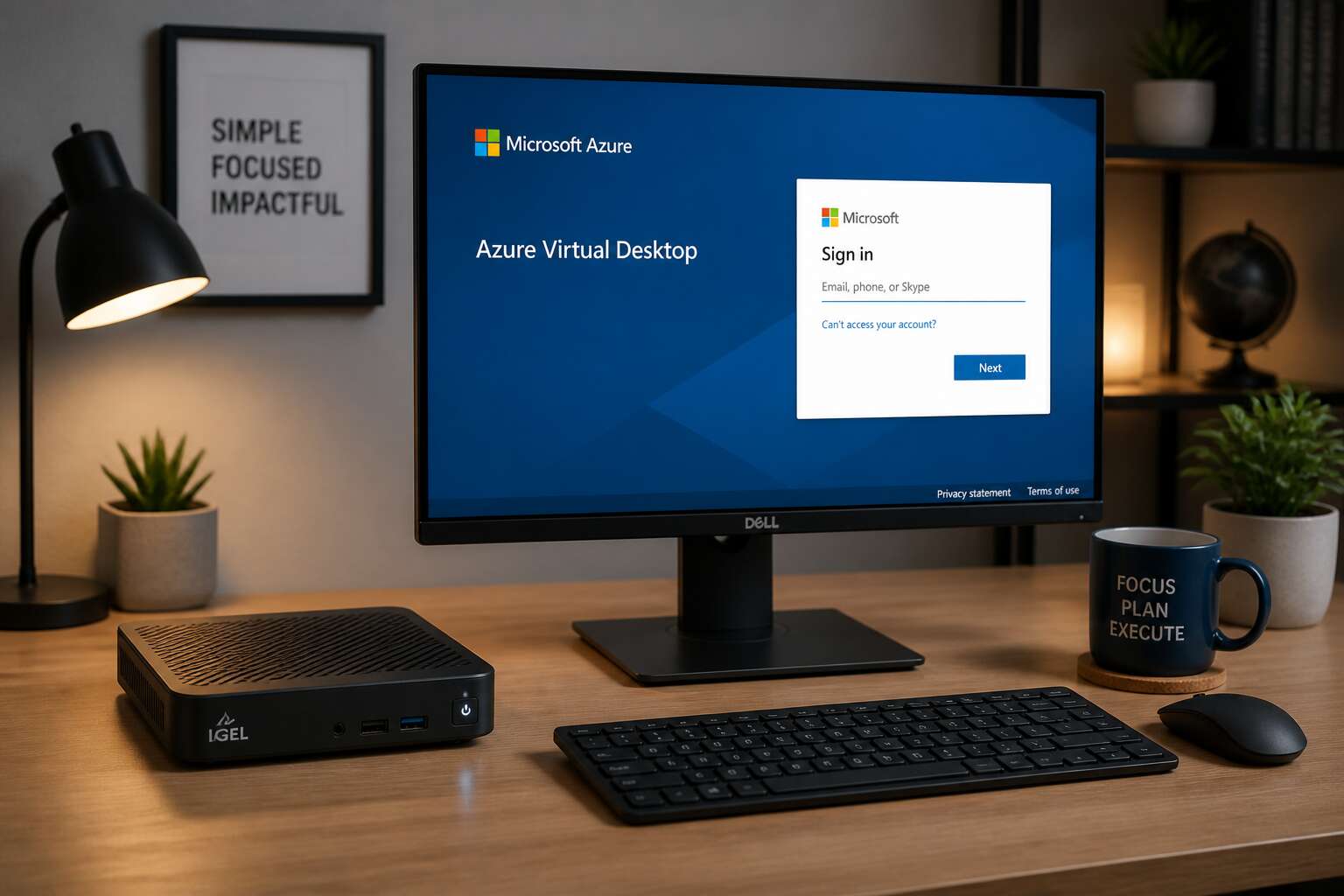
Mapping Device Requirements for Cloud Desktops
Evaluating User Personas and Workload Profiles
In the shifting landscape of South African enterprise, the device on a desk is a calculation, not a status symbol. Mapping device requirements for cloud desktops demands a precise understanding of how each role consumes compute, memory, and bandwidth.
Consider the call centre agent alongside the 3D draughtsperson. The former needs a resilient, low-power endpoint with minimal local storage. The latter needs a higher frame rate and a robust codec. These are not interchangeable needs.
Before you select a thin client for azure virtual desktop, evaluate user personas and workload profiles against measurable thresholds:
- How many concurrent applications are active?
- What is the acceptable latency for interactive input?
- Which peripherals must the endpoint support?
A thin client for azure virtual desktop performs well in task-based environments, but only when the persona matches the workload profile. A heterogeneous workforce will always demand varied endpoints.
Balancing Performance Specs: CPU, RAM, and Storage
Every gigabyte has a price, and in South Africa’s constrained economy, you pay twice. First in hardware, then in the slow decline of productivity when endpoints underperform. A thin client for azure virtual desktop delegates the intensive processing to the cloud, but the local device still decides how smoothly that session runs.
CPU allocation matters less than session concurrency. RAM is where memory pressure surfaces. Storage, however, often surprises. Consider what each user actually holds locally:
- Persistent cache for offline browsing
- USB redirection buffers for peripherals
- Profile containers and application layers
Overprovisioning RAM on the endpoint creates unnecessary cost. Underprovisioning storage causes session dropouts. The balance lies in measuring the workload, not guessing at it.
Peripheral and Multi-Monitor Support
A typical South African workstation now pairs two monitors with a VoIP headset, a webcam, and a document scanner. That configuration is common, not exceptional. A thin client for azure virtual desktop must negotiate each peripheral across the network, translating local USB signals into cloud-native actions. USB redirection carries that translation.
From Johannesburg to Cape Town, I have seen this pattern repeat:
– Legacy printers often lack Linux drivers on the endpoint
– Monitor EDID data must pass through the session for correct scaling
– Smart card readers require precise mapping thresholds
Multi-monitor support hinges on bandwidth, not resolution. Each additional display consumes session bandwidth. A 4K dual-screen setup on a 10 Mbps connection will stutter. The local device paints the pixels. The cloud renders them. Match the monitor count to the WAN link. A thin client for azure virtual desktop cannot outrun a congested link.
Network and Connectivity Essentials
A client in Durban once asked if their 4G router would handle a virtual desktop. I asked about packet loss. That answer defines success more than any speed test. The thin client for azure virtual desktop depends on consistency, not bursts. A 15 Mbps uncapped fibre line with a 40 ms round trip beats a 100 Mbps fixed wireless connection with spikes. Latency under 120 ms is workable; jitter above 30 ms is not. The Azure network path carries the session over UDP 3391. Firewalls that throttle UDP will break the experience.
Consider the local network too. Wi-Fi is convenient, but every retry adds delay. A wired connection for the endpoint is the default choice when the layout allows. The endpoint itself also matters. A cheap thin client for azure virtual desktop with a dying network chip will drop sessions at the worst moment.
Monitor these:
– Round trip time to the workspace
– Recovered audio metrics
– UDP packet loss
The cloud renders the interface, but the network delivers it. Without a sane network, the desktop might as well be a typewriter.
Selecting a Purpose-Built Endpoint Strategy
Comparing Legacy PCs vs. Modern Endpoints
South African enterprises often misjudge the hidden costs of repurposing old hardware. A five year old PC might boot, but it will buckle under the weight of a cloud OS, real time telemetry, and the constant churn of security patches. The real question is not whether your current fleet can run, but what it costs to keep it alive. Choosing a dedicated thin client for azure virtual desktop changes the economics entirely.
A modern endpoint removes the burden of local image management. You gain a locked down, firmware level security posture that a general purpose laptop simply cannot replicate. Consider the operational churn:
– Legacy PCs demand BIOS updates, driver compatibility checks, and frequent reimaging cycles.
– A thin client for azure virtual desktop offers zero local storage, no local agents, and an instant boot to the cloud workspace.
This shift slashes power draw in the office and reduces the helpdesk’s busywork, allowing your team to focus on the sessions themselves rather than the device in front of them.
Zero Clients, Thin Clients, and Convertible Endpoints
The endpoint strategy you choose is a statement about your organisation’s future. Zero clients offer the stark purity of a device with no operating system to manage. Convertible endpoints, for their part, shift between cloud and local modes on demand. A thin client for azure virtual desktop occupies the pragmatic middle ground, providing purpose-built longevity without the fragility of repurposed hardware.
South African IT leaders should weigh their own realities here. Load shedding punishes power hungry devices, and a simple, dedicated unit draws less power while delivering the same workspace.
- Zero clients excel in fixed, identical workstations.
- Thin clients offer adaptable performance for shifting workloads.
- Convertible endpoints serve users who split time between cloud and local applications.
That flexibility has a cost. Every added capability is another point of failure. Selecting the right tier requires an honest appraisal of your network’s reliability and your users’ actual needs. The right thin client for azure virtual desktop deployment should disappear into the background, becoming a silent portal to the workspace itself.
Form Factor and Desk-Space Flexibility
The desk itself is a practical constraint. For South African offices, load shedding and space constraints make the physical footprint of your endpoint an operational decision, not an aesthetic one. A thin client for azure virtual desktop deployment can be mounted behind a monitor, tucked under a desk, or fixed to a wall, reclaiming valuable workspace. The form factor matters. Some models offer VESA mounting, making the monitor the only visible component. Others, like fanless units, eliminate noise and dust ingress, which counts in dusty industrial areas or open-plan offices. Consider which configuration suits your environment:
- VESA mounted units for call centres and high density workstations
- Fanless designs for dusty or silent environments
- Compact horizontal cases for cramped desk layouts
The choice alters cable management and security. A discreet, purpose-built unit is less likely to be tampered with or removed. The right thin client for azure virtual desktop should integrate with the room, not dominate it.
Security and Manageability Priorities
Shifting away from legacy PCs is not merely about component upgrades, it is a fundamental rethink of administrative overhead. A decentralized fleet of aging desktops creates a fragmented management nightmare, especially when each device requires individual patching and troubleshooting. A thin client for Azure Virtual Desktop centralizes control, placing the burden on the host environment where policies are applied once and enforced everywhere. This is a definitive operational shift for South African businesses where IT resources are often stretched thin.
A purpose-built endpoint minimizes the attack surface. Local data storage is peripheral at best, which mitigates data theft risks that are unfortunately common. For regulated industries like finance or healthcare, this centralized architecture simplifies compliance audits significantly. However, choosing the right hardware is still a security decision. Consider the foundational security tools:
- TPM 2.0 chips for hardware-level encryption
- Write-filter software to prevent persistent malware installation
- Secure boot protocols to verify the integrity of the OS at startup
Manageability goes beyond downloading firmware updates. The most effective strategies embrace zero-touch provisioning, allowing IT teams to ship a device to a remote branch in Durban or a mining site in the Northern Cape and have it configure itself upon connection. This reduces the human error factor during setup. Furthermore, the centralization allows for granular usage analytics. IT managers can see exactly which virtual desktops are underutilized and which are hitting capacity limits, enabling data-driven cost adjustments that are crucial for a lean business model.
Total Cost of Ownership and Lifecycle Planning
South African finance teams know the real cost of a device appears in maintenance tickets, not invoice lines. Selecting a purpose-built endpoint strategy demands honest TCO math. The hardware sticker is only the first number. Electricity, cabling, spare stock, and the salary of someone who babysits stubborn legacy towers all count.
A thin client for azure virtual desktop simplifies this equation. Fewer moving parts, fewer repairs, and a predictable lifespan. Lifecycle planning still requires discipline. Map the refresh cycle to the software support window. When the vendor stops patching the OS, that hardware becomes a security risk that no manager should ignore.
Set a retirement date on day one. Budget for it. Choose units with replaceable components. This is unglamorous work, yet it keeps the ledger honest.
Enterprises still run hardware that predates load shedding. The finance department calls it depreciation. The users call it a gamble.
Operating System and Management Considerations
Windows Embedded vs. Linux-Based Firmware
The operating system underneath the connection often decides how much time your IT team spends on upkeep. Windows Embedded offers a familiar environment for South African enterprises already running Microsoft tooling, but firmware updates and licensing demand attention. Linux based firmware trims the attack surface and boots quickly, yet it requires different administration skills. Choosing a thin client for azure virtual desktop means weighing these tradeoffs carefully. Consider three practical factors:
- How often you want to patch endpoints
- Whether your staff can troubleshoot Linux
- The cost of Windows licensing per device
Remote device management matters here. A thin client for azure virtual desktop should let you push updates centrally, regardless of the underlying OS. The best choice aligns with your existing operations team and the hardware price.
Centralized Configuration and Profile Management
One incorrect setting, pushed to fifty devices, creates fifty support tickets. That is the reality of managing endpoints without central oversight. A thin client for azure virtual desktop should remove this burden, not add to it.
Centralized configuration means defining policies once and applying them everywhere. Profile management works the same way. When a user logs into any device, their desktop, applications, and preferences follow them without manual setup.
Consider what your operations team actually needs:
- Apply configuration changes across all units simultaneously
- Preserve user profiles when sessions drop or reconnect
- Enforce security policies without visiting each device
South African operations often span multiple sites with limited IT presence. A management console that works over standard internet connections keeps things simple. The right thin client for azure virtual desktop integrates with your identity provider and updates quietly during off-peak hours.
Remote Monitoring, Updates, and Patch Workflows
Statistics show that 57% of IT teams discover endpoint failures only after users complain. That is not monitoring, that is archaeology. A thin client for azure virtual desktop should offer a live dashboard that shows device health, session status, and network latency without requiring a single site visit.
Updates are the quiet work that keeps operations running. The right system handles patch workflows during off-peak hours, so your users never meet a reboot prompt. South African sites with limited connectivity benefit from bandwidth-aware update scheduling, which staggers downloads instead of choking the line.
- Alert thresholds that trigger only on actionable events
- Firmware rollback options when a patch misbehaves
- Remote diagnostics without needing physical access
Patch management should verify every unit receives the same image. A thin client for azure virtual desktop that reports its own update status saves your team from chasing ghost issues that disappeared after a restart.
Compatibility and Certification Requirements
Compatibility is non-negotiable. A thin client for azure virtual desktop must carry explicit certification for the platform. The Azure Virtual Desktop certification requirements include validated firmware, supported graphics drivers, and tested session brokering. South African enterprises often overlook the operating system layer. Windows Embedded and Linux builds differ in how they handle profile roaming and certificate trust. Verify that the device supports the same version you plan to deploy.
Certification matters because updates can break assumptions. Check three things:
- Confirm the device’s attestation level
- Match the OS build with AVD service expectations
- Review the vendor’s compatibility matrix quarterly
An uncertified endpoint may connect, but it will not receive optimization features. That shortchanges your investment and your users.
Locking Down Devices with Conditional Access
Operating system choices ripple through your management overhead. A thin client for azure virtual desktop should align with your existing identity stack, not complicate it. I often see teams wrestle with firmware that fights their security baselines. That is why conditional access deserves your attention before deployment, not after.
Locking down devices means controlling who connects, from where, and under what conditions. For South African enterprises, this is particularly relevant with remote work across provinces. You can enforce policies like:
- Require compliant device attestation for every session
- Block access from untrusted networks or locations
- Step up authentication for sensitive workloads
These rules integrate directly with Azure AD. A certified thin client for azure virtual desktop simply becomes another managed endpoint, one that respects your conditional access policies without constant babysitting. That is the quiet win.
Optimizing the End-User Experience
Delivering High-Fidelity Audio and Video
Nearly two thirds of professional users now consider audio clarity as critical as visual resolution during virtual meetings. In a thin client for Azure Virtual Desktop, this requires diligent attention to protocol settings and network allocation. Microsoft’s Remote Desktop protocol handles multimedia data separately from static screen updates, enabling the endpoint to decode streams locally for lower latency.
Workload dependency is the primary factor in how you tune the appliance for voice and video. Device resource allocation depends entirely on which applications your users run.
– Video conferencing tools prioritise frame rate and jitter buffer management.
– Softphone integrations require stable codec negotiation and echo cancellation.
– VoIP troubleshooting requires granular packet loss reporting.
The proliferation of web-based collaboration suites has shifted processing burdens from the host to the local hardware. A thin client for Azure Virtual Desktop must therefore possess a media engine capable of decoding H.264 streams without stuttering. Otherwise, users experience frozen frames while audio continues, which destroys meeting flow. Many South African enterprises on constrained wide area networks will need to adjust bitrate caps in the session host policy for reliable communication. Prioritising the media streams over bulk traffic ensures crisp communication across every department.
USB Redirection and Device Bridging
USB redirection is a burial ground for many virtual desktop deployments. The moment a user plugs in a niche printer or a specialised scanner, the entire session can become unstable. Redirection policies that are too permissive force the session host to mediate every peripheral call, which adds latency and invites conflicts. A thin client for Azure Virtual Desktop should handle device bridging at the endpoint level, not through the host. This distinction protects the core session from rogue hardware drivers and keeps productivity uninterrupted.
Modern protocols allow for selective redirection, but the default settings are often a blunt instrument. Local device mapping requires granular control. You need to define which device classes bypass the network entirely and which ones require host intervention. Webcams and smart card readers demand different handling than USB storage devices. Getting this wrong leads to a cascade of helpdesk tickets, particularly when firmware updates alter device descriptors overnight. The following peripherals typically cause the most friction in a remote workforce:
- Multifunction printers with proprietary scanning utilities
- Biometric authentication devices that rely on local drivers
- Composite devices like audio headsets with embedded microphones
- Industrial tools or laboratory equipment using custom serial bridges
South African businesses often run legacy peripherals that lack proper virtual channel support. The device bridging layer must translate these signals without exposing the host to unstable drivers. A robust thin client for Azure Virtual Desktop performs this translation locally, presenting a compliant device profile to the session while the physical hardware communicates through a dedicated channel. Session host policy should enforce strict timeouts for idle USB channels to prevent resource exhaustion on congested links. The endpoint also needs enough flash memory to cache device profiles, so reconnection after a network drop does not require a full renegotiation.
When the USB stack is tuned correctly, the user experience feels almost native. Print jobs spool locally, scanners feed pages without stutter, and removable storage mounts instantly. The alternative is a brittle environment where every hardware interaction carries the risk of disconnecting the entire virtual desktop. This becomes a staffing nightmare for IT administrators who must reconcile user expectations with the physical limits of wide area networks.
Streamlining Sign-In and Authentication Workflows
The average office worker enters credentials more than twenty times a day. On a virtual desktop, each login can feel like a separate hurdle, especially over congested South African broadband links. A thin client for Azure Virtual Desktop should support modern authentication methods that reduce friction. Smart card integration, biometric readers, and single sign-on extensions all change how quickly a user reaches their desktop. The endpoint must handle these locally, without round trips to a session host.
Consider the morning routine:
- Tap the badge reader
- Thin client wakes and validates locally
- Azure AD completes authentication in the background
- Desktop appears without an extra prompt
Every step removed from this sequence shortens the time between arrival and productivity. FIDO2 security keys are another option. The thin client for Azure Virtual Desktop passes the key’s assertion directly to the identity provider. Users in remote mining camps benefit most, where unstable links make prolonged handshakes risky.
Session Recovery and Reconnection Handling
Session drops happen. South African broadband links fluctuate, especially during afternoon thunderstorms or peak usage. When a connection fails, the thin client for azure virtual desktop must restore the user’s workspace without forcing a full sign-in. A quality endpoint handles reconnection transparently, maintaining the local network stack while the session host waits.
Users return to their applications exactly where they left off. This matters for remote workers in areas with load shedding or unstable LTE connections. A session that recovers in seconds prevents frustration and lost work. The endpoint should distinguish between intentional disconnects and network interruptions, preserving:
– Open application state
– Clipboard contents
– Peripheral mappings
– Authentication tokens
Each element contributes to a seamless return. The session reconnects in the background, and the user simply continues typing.
Planning Deployment and Scalability
Running a Proof of Concept and Pilot Rollout
Rolling out a thin client for azure virtual desktop requires a measured progression. In South Africa, where bandwidth costs remain a real factor, the pilot phase becomes your ground truth for network behaviour. I have seen teams underestimate the difference between a lab and a live environment.
Start with a small user group that mirrors your actual workload mix, then observe how memory pressure and session density behave. This is where scalability reveals itself. Without realistic testing, you cannot forecast growth.
A practical sequence:
– Define success metrics before deployment
– Select user cohorts across different regions
– Scale in increments, not leaps
Each cycle sharpens the configuration, turning uncertainty into a steady blueprint.
Pre-Staging Images, Profiles, and Assets
The real work begins long before the first user signs in. Pre-staging is where the entire deployment lives or dies, and yet it is the part that gets the least attention. You are not simply copying files or cloning drives. You are preparing the ground for every subsequent interaction that a user will have with the system, and every failure you prevent here saves you from a frantic afternoon later.
A thin client for azure virtual desktop does not care about your timeline. It cares about consistency. When you stage images, you are making a promise that every device in your fleet will behave identically, regardless of which office it sits in or which network it connects to. That promise becomes your foundation for scalability, because you cannot grow what you cannot replicate.
Profile pre-staging requires a similar level of attention. User profiles carry the weight of personal preference, and when they are not prepared properly, they become sources of friction. You want the experience to feel seamless, where settings and files appear exactly where the user left them. This is an act of care, really. You are acknowledging that people have habits and workflows that matter to them, and you are choosing to respect those habits through preparation.
Asset staging, the certificates, the printers, the peripheral mappings, is often dismissed as administrative noise. But this is where the human experience is won or lost. A printer that does not map correctly, a USB device that fails to redirect, these are the small betrayals that erode trust in the entire system. When you stage these assets deliberately, you are telling your users that their daily reality matters.
– Define the base image version and freeze it
– Map profile containers to the correct storage tier
– Validate certificate deployment across all regions
– Test printer and peripheral mappings against live workloads
The order of operations matters. You cannot stage profiles until the image is stable. You cannot test peripherals until the network paths are confirmed. Each step builds on the previous one, and if you rush, you will find yourself redoing work that should have been finished the first time. In South Africa, where bandwidth and latency are not hypothetical concerns, this discipline becomes even more critical. Every wasted cycle is a cost you cannot recover.
Power, Cabling, and Physical Workspace Constraints
Power in South Africa is a scheduled event. A thin client for azure virtual desktop draws little electricity, which helps when the grid wobbles, but it still needs clean supply. Surge protectors are mandatory. Your network closet needs a UPS too, because the device is only as alive as the switch it feeds from.
Cabling is the quiet failure point. Ethernet runs seem obvious until you trace one across a ceiling void. Label everything. Follow structured cabling standards. Loose loops of slack turn into interference antennas. When you scale from one floor to three, the cable plant breaks first.
Workspace constraints bite last. Desks shrink, monitors multiply, wall sockets vanish.
- Confirm power per workstation before ordering
- Trace floor box ports to the right patch panels
- Verify desk clearance for device and cables
Ordering a thin client for azure virtual desktop is the easy part. Making the physical space behave is where forethought pays.
Preparing for Network Outages and Failover
Scaling a thin client for azure virtual desktop environment is less about hardware and more about anticipating how your users multiply. I have watched deployments that started with fifty devices double within a fiscal year. Plan the management hierarchy before the endpoints arrive. Define which admins control which pools. Map your device groups to your organisational structure so growth does not become chaos.
Network outages will happen. Load shedding, fibre cuts, configuration errors. Your thin client for azure virtual desktop should have a failover path that does not depend on a single uplink. Pair two independent connections. Monitor them. Test the switchover quarterly, not when the alarm rings.
Scaling Procurement, Deployment, and Maintenance
A deployment I consulted on doubled its endpoint count within a fiscal year! Most organisations procure for today’s users, not the ones that arrive unannounced. A thin client for azure virtual desktop scales differently. The bottleneck is the deployment workflow, the naming convention, the group policy structure that determines whether adding fifty users takes two days or two weeks.
Procurement should tie to a standardised image. Order in batches, stage in one location, assign to pools by department or region.
- Define device naming conventions before the first unit ships.
- Set up a staging area with power and network access.
- Document the return and replacement process for faulty units.
Maintenance becomes routine when the fleet is uniform. A thin client for azure virtual desktop with consistent firmware and a central console allows updates to roll out while users sleep. Plan for the second year, when support contracts and hardware refreshes intersect!


0 Comments