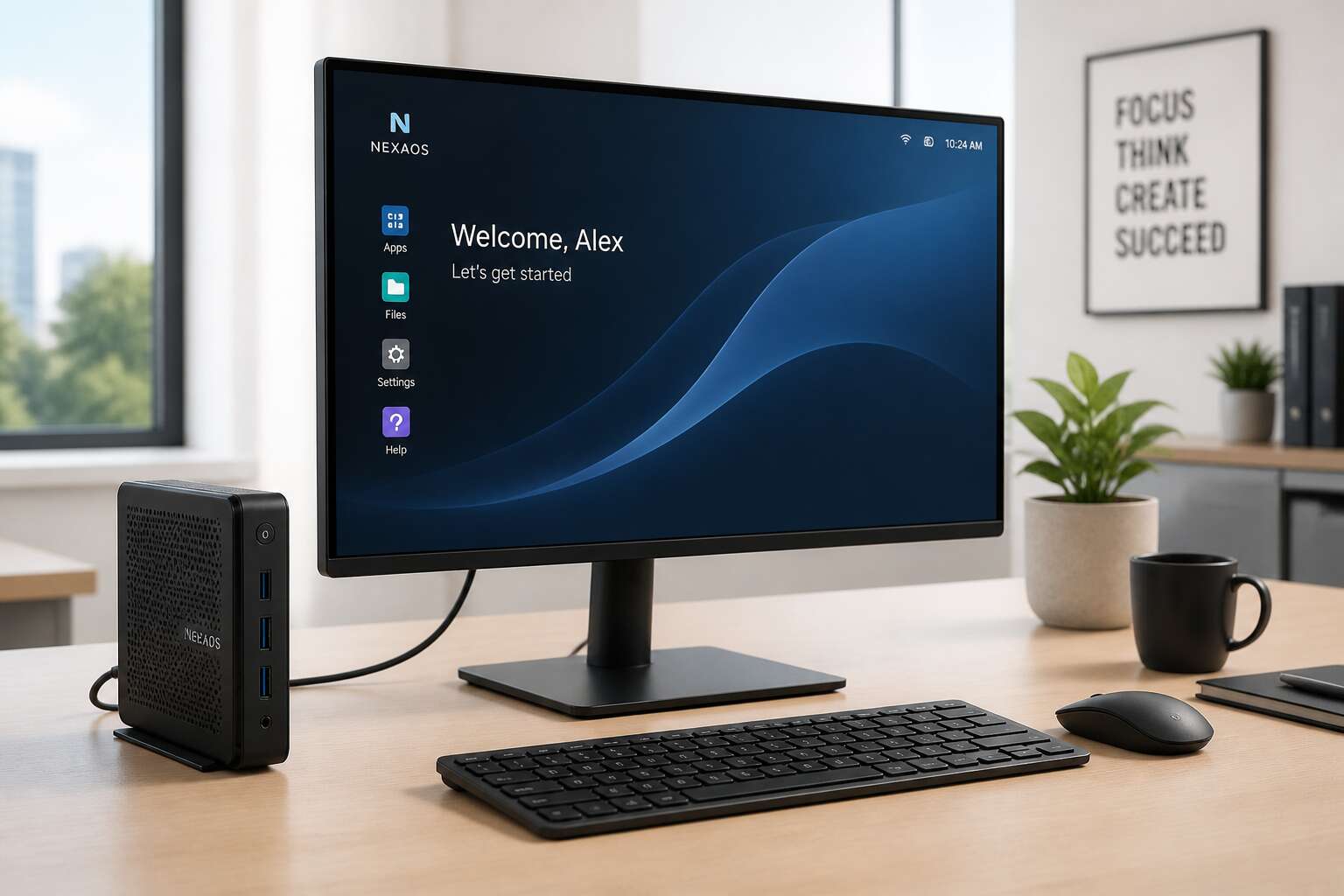
Defining Thin Client Architecture
What Is a Thin Client?
Conventional PCs hoard processing power. A thin client does the opposite. It strips the workstation down to its essential role, sending compute tasks to a central server while the local unit simply renders the screen and relays your keystrokes.
The architecture rests on a few principles:
– Centralised servers handle applications and data
– Local devices run only a minimal operating environment
– The network carries every session from start to finish
This arrangement reframes what matters in endpoint equipment. Thin client hardware is judged less by raw speed and more by its power draw, compactness, and resilience in unstable environments. For South African organisations, where grid reliability and connectivity fluctuate, choosing the right thin client hardware means the difference between a seamless workflow and constant interruptions.
How Thin Clients Differ from Traditional PCs
Most endpoint failures in South African offices trace back to spinning disks and power supplies. Thin client hardware eliminates both. Architecture here is a separation of concerns: the server owns the state, the local unit owns the pixels. This split allows a device with a modest system on chip and no moving parts to deliver a full desktop experience.
Traditional PCs differ in a fundamental way. They hoard compute locally, requiring processors and memory sized for the heaviest application. Thin client hardware requires just enough silicon to encode input and decode frames. The network becomes the bus, and the server becomes the machine. That inversion changes procurement. You no longer buy for peak performance. You buy for low power draw, silent operation, and longevity.
- No local storage means no local data leakage.
- No fans means no dust clogging the chassis.
- No bulky tower means flexible mounting anywhere.
Core Hardware Components Inside the Endpoint
Open one and you might think it was broken. There is so little inside! The thin client hardware system on chip pairs a low-power processor with dedicated video decode silicon. RAM sits soldered to the board, sized for session handling rather than local computation. Flash storage exists only to hold firmware. Everything else arrives over the network and vanishes with the session.
The component list is short:
- System on chip with video decoding
- Soldered RAM from 2GB to 8GB
- Flash storage for firmware
- Gigabit Ethernet controller
- USB and display output controllers
Power delivery uses a simple DC circuit. A typical thin client hardware draw sits between 5 and 15 watts. In South African offices, load shedding makes every watt count. A device drawing 10 watts instead of 300 changes the backup power calculation. The network interface manages the data stream. The video decoder converts compressed frames into pixels.
Core Hardware Components to Evaluate
Memory and Storage Configurations
The question of memory and storage in thin client hardware invites more panic than precision. In my experience, many procurement teams overspecify memory, choosing capacities that will never be used. A typical session relies on the server for heavy lifting. The endpoint merely renders pixels and shuffles input.
What actually matters is the operating system footprint and the number of concurrent sessions a user juggles. For standard office work, 4GB of memory and 16GB of flash storage will suffice. That is plenty for most people! Power users who run local browsers with dozens of tabs may prefer 8GB. Consider these general guidelines:
- Entry level: 2GB RAM, 8GB storage
- Standard configuration: 4GB RAM, 16GB storage
- Demanding role: 8GB RAM, 64GB storage
Storage speed holds equal weight in any thin client hardware purchase. A sluggish eMMC module can undermine the most generous memory allocation. Solid state drives deliver smoother boot times and more responsive local caching.
Networking and Connectivity Options
Network connectivity often determines thin client hardware success more than CPU speed. In South Africa, outages and latency fluctuate, so port selection becomes critical. Prioritize these connections.
- Gigabit Ethernet for stable sessions
- Wi-Fi 6 for flexible workspaces
- USB-C for docking and peripherals
- Power over Ethernet for one-cable simplicity
I recommend testing each option against your office layout! Wi-Fi signals weaken near concrete walls. PoE requires switch support. Firmware compatibility with enterprise networks matters more than expected. A thin client with outdated networking code will disappoint even with generous memory. Connectivity deserves the same care as processing power.
Ports, Peripherals, and Display Support
Ports define the physical reach of your thin client hardware in a workspace. In South African offices, where load shedding shifts work patterns, peripheral flexibility matters. Count the USB ports, but check their generation as well. USB 3.2 delivers faster data for external drives, while older USB 2.0 still serves keyboards and mice.
Display support deserves equal scrutiny. Dual monitors require two video outputs, preferably DisplayPort or HDMI. Some thin client hardware includes legacy VGA ports, which remain useful in older Johannesburg boardrooms. Check the maximum resolution per port. A 4K display on a single HDMI port changes the experience entirely.
Consider the peripheral ecosystem.
- PS/2 ports for legacy input devices
- Audio jacks for headsets
- SD card slots for offline storage
Each port adds a connection point, but every unused port is a potential failure point. Choose the configuration that matches your actual desk setup.
Power Consumption and Thermal Design
In South Africa, where load shedding interrupts the grid, power consumption is not a side note. Thin client hardware typically draws far less power than a traditional desktop tower, often between 8 and 25 watts under load. That number determines battery backup sizing and monthly operating costs.
Thermal design matters equally. A unit with passive cooling runs silent, but it demands careful airflow. Check the operating temperature range. Units rated for 0 to 40 degrees Celsius handle the Highveld summer without throttling.
When I evaluate a unit, I check:
- The processor TDP, which drives the thermal envelope
- The power supply efficiency rating (80 Plus certification)
- The cooling method, passive or active, and its noise profile
- The maximum ambient temperature the vendor specifies
Choosing the Right Endpoint Device for Your Business
Assessing Workload Requirements
South African businesses lose an estimated R40 billion annually to IT downtime, which makes endpoint selection a financial decision rather than a technical one. Workload assessment begins with honest observation of what staff actually execute daily. A call centre agent needs a stable session for CRM software. A designer requires local rendering power. Neither benefits from the same configuration.
Evaluate these realities before committing to thin client hardware:
- Concurrent application usage per user
- Peak login bursts across regional branches
- Latency tolerance between desktop and server
- Document scanning volumes at branch level
Modern thin client hardware can match processing power to the observed task. Choose models that align compute specifications with real workflows. Overprovisioning wastes capital. Underprovisioning frustrates productivity. The right fit emerges from data, not vendor promises.
Matching Hardware to Virtual Desktop Infrastructure (VDI)
Every rand spent on endpoints either buys resilience or buys regret. South African firms often discover that their virtual desktop infrastructure performs poorly because the thin client hardware was selected by someone who believed any device with a power button would suffice. The real skill is aligning device specifications with observed VDI usage patterns, not vendor brochures.
Consider these factors when selecting an endpoint:
- Session density per user profile
- Graphics offload requirements for video or CAD
- Peripheral authentication at branch level
A data entry operator does not need GPU capacity. A design team cannot survive on a barebones unit. The correct endpoint balances user expectations against the actual capacity of the virtual desktop environment.
Security Features and Management Capabilities
In South Africa, the price of cheap thin client hardware is often paid in compromised networks. A device that slips onto your network unnoticed becomes a liability. Businesses contend with loadshedding, remote branches, and variable connectivity. The endpoint must enforce authentication at the hardware level, not merely at the operating system layer.
Management capabilities matter just as much! Can your team push firmware updates from a central console? Do you have visibility into each device’s status across all sites? These questions separate disciplined VDI deployments from chaotic ones. The answers determine whether your support staff spends their days solving problems or preventing them.
Think about what your IT department genuinely requires:
- Centralised configuration management
- Hardware-level encryption for data at rest
- Remote troubleshooting without site visits
- Device posture checks before network access
The right thin client hardware delivers these without demanding constant intervention. That is the distinction between owning your endpoints and being owned by them.
Form Factors: Desktop, Wall-Mount, and Mobile
The physical shape of the endpoint matters as much as its security posture. Desktop thin client hardware suits a conventional office, where a small box under the monitor causes no fuss. Wall-mount variants bolt to the back of a screen or under a counter, which suits retail floors, factory lines, and clinic rooms where space runs tight.
Mobile units are the third option. They pack a battery and wireless connectivity into a rugged shell, so field teams carry their VDI session between sites.
- Desktop: predictable, easy to swap, lowest cost
- Wall-mount: reduced clutter, secured against casual removal
- Mobile: portable, though charging schedules become your responsibility
I have seen deployments fail because the form factor ignored how people actually work. Match the device to the movement pattern of your users. The right thin client hardware then fades into the background. Choose deliberately!
Comparing Vendors, Models, and Total Cost of Ownership
Leading Manufacturers in the Endpoint Market
The endpoint market is consolidating around a handful of serious players. HP, Dell, and Lenovo dominate enterprise thin client hardware in South Africa, while NComputing holds ground in budget-sensitive deployments. Each vendor approaches total cost of ownership differently, and that matters more than the sticker price.
Consider management software. One vendor bundles a free console; another charges per device yearly. Those fees add up across a fleet of 500 endpoints. We have seen quotes where the management licence cost more than the unit over three years. That is the hidden trap!
- HP: strong remote management, premium pricing
- Dell: reliable warranty support, flexible configurations
- NComputing: low acquisition cost, lighter feature set
- 10Zig: local support, good for smaller rollouts
Thin client hardware lifespan, warranty terms, and reseller coverage vary sharply. A cheaper unit with a one-year warranty can become expensive when a remote site needs repairs. Weigh local stock availability and technical support response times. The lowest quote rarely delivers the lowest cost of ownership.
Entry-Level vs. Enterprise-Grade Models
A R2,000 price difference today can become a R20,000 repair bill next year. The gap between entry-level and enterprise-grade thin client hardware concerns thermal endurance more than clock speeds. I have watched budget units fail under sustained heat in Gauteng server rooms, while enterprise builds remain stable.
Consider hardware attrition. Entry-level boxes often carry plastic casings and passive fans that collect dust. They suit a pilot project or a secondary site. Robust units are built for 24/7 KVM sessions and heavy Citrix loads. Weigh the licensing structure too.
- Entry-level units demand shorter refresh cycles.
- Enterprise-grade builds survive power surges and poor ventilation.
- Management software silos add per-seat licensing overhead.
I prefer comparing real-world failure logs over spec sheets when advising clients.
Proprietary vs. Open-Source Operating Systems
Vendor comparisons often devolve into benchmark bragging, but the real cost of thin client hardware hides in the software layer. Proprietary operating systems promise polish and charge per seat. Open-source alternatives give you control, though they demand a technician who enjoys tinkering.
Here is what I check before recommending any platform:
- Licensing terms per device and per concurrent user
- Image management effort across mixed vendor fleets
- Driver support lifespan for older thin client hardware
Total cost of ownership shifts when a vendor changes subscription models mid-contract. That R1,000 saving on one model evaporates after three years of mandatory cloud management fees. Read the fine print, because the cheapest quote is often the most expensive deployment.
Warranty, Lifecycle, and TCO Considerations
Comparing vendors requires close scrutiny of the quote. The real cost of thin client hardware emerges at the warranty desk, not the initial price list.
Here is what separates a solid deployment from a costly one:
- Warranty duration versus expected device lifespan
- Firmware update commitment after the initial release
- Replacement logistics, especially beyond Gauteng
- Hidden fees for end-of-life support
A vendor quoting R2,000 less per unit might ship from overseas, charge freight, and treat a warranty claim as a negotiation. Meanwhile, the local vendor with a five year warranty and a Johannesburg warehouse saves you sleepless nights. Total cost of ownership is a lifecycle calculation, not a price comparison.
Integration with Cloud and On-Premises Environments
Choosing between vendors means evaluating how their thin client hardware behaves in your actual environment, not in a demo suite. A unit that excels with Microsoft 365 may struggle against a heavy on-prem ERP instance running in Johannesburg. The integration layer, whether Azure Virtual Desktop or a local VMware estate, dictates which models justify their price.
Consider procurement variables that surface only during rollout:
– How the quote treats licensing for cloud brokers versus existing on-prem virtualisation licences
– Whether the hardware supports both modes without additional component swaps
– The vendor’s capacity to stage and configure units locally before delivery to Cape Town or Durban
Total cost of ownership now spans the hybrid reality. Cloud environments shift costs to monthly opex, while on-prem setups demand upfront capital and internal skills. Some thin client hardware handles both deployment modes with flexible images and multi-protocol support; other units lock you into a single management path.
Benchmarking Performance and Reliability
A failed endpoint costs more than the device. Industry studies show that annual failure rates above 1% on thin client hardware quickly erase any procurement savings. Savvy buyers now benchmark devices for 90 days before committing to a vendor.
Run your actual workloads, not synthetic tests. Measure mean time between failures, CPU silicon quirks, and memory bus speeds. A unit that idles cool in a London lab may throttle badly in a Durban warehouse. Calculate total cost of ownership across a 5-year horizon, including local power costs and the salary of whoever manages the fleet. Track these metrics:
- Reboot frequency after OS updates
- Time-to-desktop from power-on
- RMA turnaround for faulty units
- Image deployment speed across your LAN
Some vendors publish benchmark results that look impressive. Ask for the test methodology. Others offer loaner units for site-specific validation. The best thin client hardware survives dusty shelves, grid dips, and high ambient temperatures. The real comparison happens in your stack, not in a vendor deck.
Future Trends and Best Practices for Endpoint Deployments
The Shift Toward Zero Clients and Cloud Endpoints
In the next wave of endpoint deployment, the device matters less than the connection behind it. South African organisations are shifting from conventional thin client hardware toward zero clients and cloud endpoints that have no local components to manage. These units simply render a session streamed entirely from the host.
This trend alters purchasing decisions and IT workload. I have seen IT teams cut their onsite support hours sharply after swapping traditional thin client hardware for zero clients, since firmware and profile settings are handled centrally with no local state to corrupt. The hardware becomes a fixed, predictable cost.
- Firmware updates arrive silently through the management plane.
- Failure rates drop because there is no storage and no fan.
- Expanding a fleet means provisioning a virtual instance, not unpacking crates.
Optimizing Deployment and Management Workflows
Provisioning a new endpoint now takes under fifteen minutes for many South African IT teams. The rapid shift toward zero-touch workflows changes what effective deployment actually means: the device is no longer a project, it is a commodity. Future management models depend on cloud-hosted platforms that handle configuration, patching, and policy enforcement from a single pane of glass.
I have seen successful fleets share common patterns:
- Asset tags link each physical endpoint to its virtual machine inventory
- Certificates are distributed automatically before devices reach the user’s desk
- Session latency is monitored rather than local CPU utilisation
These patterns shift operational weight away from the endpoint. When thin client hardware fails, replacement is immediate, and the management plane restores every setting without manual intervention.
Sustainability and Energy-Efficiency Considerations
South Africa’s load-shedding schedule has transformed energy efficiency from a preference into a procurement mandate. Future endpoint deployments will prioritise the entire energy footprint of thin client hardware, not just idle wattage. Manufacturers are shifting toward repairable modular designs and carbon-neutral logistics. These trends reduce e-waste and extend ownership cycles.
For energy efficiency, consider these practices:
- Implement power capping policies through the management plane.
- Choose devices with adaptive thermal throttling.
- Use network wake-on-LAN only when absolutely necessary.
The operational focus moves to measurable power draw per session. Thin client hardware with efficient arm-based processors or fanless chassis will dominate South African workspaces. Virtual desktops handle heavy compute, so local hardware can remain low-power without compromising performance. Expect longer service intervals and simpler recycling streams.

0 Comments