
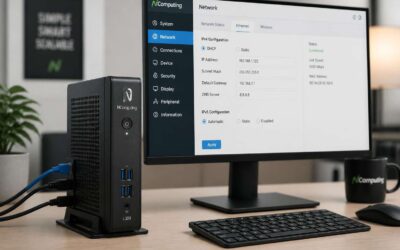
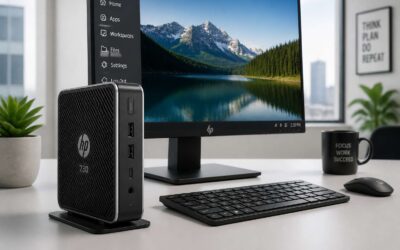
The thin client is a small computing device that is connected to a remote server. These devices can be used in a variety of industries, including healthcare, call centers, trading floors, and retail. They provide a simple way to interact with data and programs in the cloud, without having to share technology resources or travel with a laptop. A thin client will still allow users to perform normal computer interactions, such as accessing files and performing searches.
In addition to providing an affordable, low-power desktop, the thin client has its own benefits. Because of its centralized nature, administrators can more easily monitor and manage endpoints. This means they are more likely to catch any problems before they can wreak havoc on the organization. It also makes software maintenance easier.
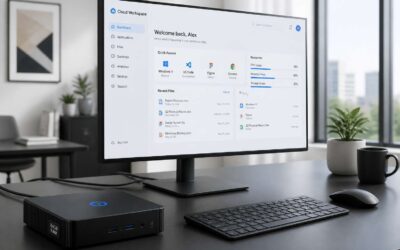
One of the biggest advantages of the thin client is the way it works with the cloud. With a thin client, data and programs can be manipulated in a centralized cloud environment, allowing access to records and other resources on a secure server. Thin clients can be purchased, rented, or even built as a standalone product. Many organizations are adopting this technology to make their IT operations more efficient and secure.
Thin clients also make it easy for businesses to implement mobile workspace solutions. Mobile devices such as tablets and smartphones can be connected to the network. Employees can then perform a variety of tasks in the field, without having to worry about taking a laptop with them.
Thin clients are usually less expensive than their PC and laptop counterparts. That is because they are designed to perform basic computing functions and connect to a remote server through a network connection. While these devices are relatively inexpensive, they are not cheap to maintain. Users must keep their software up-to-date and the hardware is subject to constant upgrades.
Although thin clients have their pros and cons, they are an ideal solution for many companies. Their cost-effectiveness, mobility, and convenience make them a worthwhile investment. Moreover, thin clients have the capacity to improve employee productivity and lower downtime costs. And with today’s fast-paced, crowded business world, having a secure, easy-to-manage set of endpoints is a must.
Although it’s a good idea to implement a thin client solution, it’s important to choose the best one for the task at hand. In general, experts recommend choosing a type of thin client based on the application and its delivery method.
For instance, a web browser has the capacity to provide rich interactivity, so it’s a logical choice for a thin client. However, a full-blown PC can also function as a thin client in conjunction with other things.
To ensure optimal performance, a central server should be capable of delivering a fast connection for every user. Centralization allows for more efficient software maintenance, as well as the ability to optimize the hardware. Lastly, a slew of layers of security are essential to protecting the integrity of the information stored on the thin client.

0 Comments