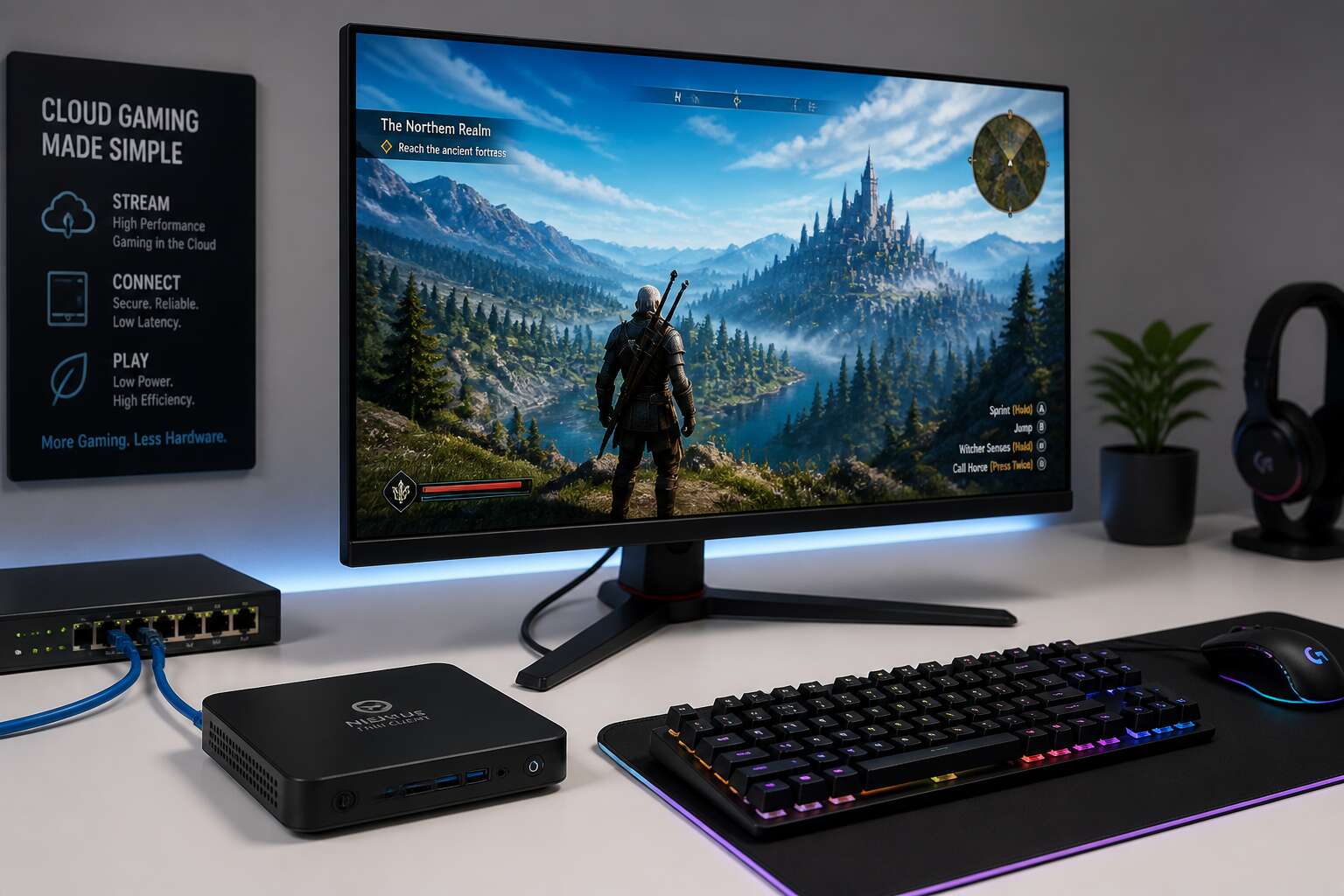
Fundamentals of Thin Client Gaming
Defining Thin Clients and Their Gaming Potential
For most gamers, the computer is a box humming under the desk. With thin client gaming, that box disappears. Processing happens on a remote server, and your screen receives a streamed video feed. Your monitor essentially becomes a display for that distant hardware.
In South Africa, connection quality varies from suburb to suburb. The viability of this approach rests on your latency. A fibre line with low ping feels local; a congested wireless connection introduces lag. I have seen both outcomes, and the difference is stark.
The appeal for gamers rests on practical realities:
- Upfront hardware costs drop significantly
- Maintenance happens centrally, not in your living room
- Performance remains consistent regardless of the device at hand
Gamers gain access to processing power they could never justify buying outright, and fibre rollouts continue to improve the experience.
How Thin Client Gaming Works: A Technical Overview
At its core, the technical process is a battle against physics, primarily the speed of light and the integrity of your local network. Your input travels from your mouse or keyboard to the server, and the resulting video frames travel back. This round trip is the fundamental transaction of thin client gaming. The server does the heavy lifting of rendering your game world at high frame rates, while your local device only has to decode a video stream. Your hardware becomes a humble translator, not the engine.
The quality of your experience hinges on the data pipeline. You cannot ignore the architecture that makes this possible.
- The client captures your input and sends it to a nearby data center.
- The server processes the command, renders the next frame, and encodes it instantly.
- That frame is compressed and transmitted back to your screen over the internet.
The compression algorithm determines the visual fidelity, while the network hardware determines the speed of delivery. In South Africa, your physical distance from the server location is your real opponent. While the concept sounds like magic, the execution relies on brute-force data transfer and smart error correction. When the connection works, your mind forgets the hardware exists, and that is the truest measure of success.
Comparing Thin Client Gaming with Traditional PC Gaming
South African gamers drop R15,000 on a graphics card and call it an investment. Two years later that same card can barely manage a stable frame rate. Thin client gaming sidesteps this cycle by relocating the render pipeline to a data centre. The upgrade path shifts from your wallet to the provider.
Traditional PC gaming demands ownership. You buy the components, carry the depreciation, and chase driver updates. Thin client gaming is a leased experience. You pay a subscription, the server does the processing.
- Traditional rigs prioritise local processing power and upfront capital.
- Thin client systems prioritise bandwidth and consistent latency.
The network is the deciding factor. A local machine renders frames right beside your hands. The thin client model sends your inputs on a round trip to a data centre and back. In South Africa, the distance to that centre is the only spec that matters.
Essential Hardware and Infrastructure
Selecting the Right Thin Client Device for Your Needs
The global cloud gaming market is projected to surpass $8 billion by 2027, yet many businesses and individuals still cling to bulky towers that gather dust. Why? Because the fear of latency and compatibility often outweighs the promise of convenience. Choosing a thin client for gaming is not about raw power; it is about smart negotiation between your network’s capability and the demands of modern titles.
When selecting a device, the processor matters less than you think. The heavy lifting happens at the data center. Your focus should shift toward I/O ports, Wi-Fi 6 support, and the quality of the USB passthrough for peripherals. A device with a solid Ethernet port is your best friend, as wireless connections, while convenient, often introduce jitter that ruins the experience. Look for models with dedicated video decoding chips, like those supporting H.265, to ensure smooth streaming without overloading the local CPU.
– Prioritize devices with at least 2×2 MIMO Wi-Fi antennas for stable signal strength.
– Ensure the unit supports Bluetooth 5.0 or later for low-latency controller input.
– Check for HDMI 2.1 or DisplayPort 1.4 to handle high refresh rates.
The infrastructure surrounding the thin client is the real hero. Your internet connection needs a consistent upload and download speed, but more critically, a low ping to the nearest server. A fiber connection with a hardwired router is non-negotiable for competitive play. The backend software, whether it is a custom protocol or a standard like Nvidia’s GFE, must handle packet loss gracefully to mask network hiccups. Without this foundation, even the most expensive thin client will stumble during intense firefights or open-world exploration.
Ultimately, the right device is the one that disappears into the background, leaving you with only the game world to inhabit. The hardware is a portal, not a powerhouse. By focusing on network resilience over processor specs, you create a setup that feels invisible and responsive. That is the quiet magic of thin client gaming: the experience lives in the architecture, not the box on your desk.
The Critical Role of Gaming Servers and Cloud Data Centers
The magic of thin client gaming happens miles away, inside humming data centers that most players will never see. In South Africa, where undersea cables shape every connection, the distance between you and the server is the real boss fight. A cloud gaming server running a GPU grid must process your inputs, render frames, and compress them into a stream, all within milliseconds. If the data center is poorly located or overloaded, no thin client gaming setup can save you.
I have seen setups fail not because of weak hardware, but because the cloud infrastructure buckled under peak hours. Here is what separates a seamless session from a frustrating slideshow:
1. Server proximity to major SA internet exchanges.
2. Redundant power and cooling systems.
3. GPU virtualization efficiency across multiple users.
These elements determine whether your input feels ghostlike or grounded. The data center is the silent co-player in every match, and its health dictates your entire experience.
Network Equipment and High-Speed Connectivity Requirements
A single 4K frame weighs around 25 megabytes, yet your connection must deliver it in under 16 milliseconds. That is the requirement behind thin client gaming. Your device handles almost nothing, so the network becomes the critical path.
In South Africa, the gap between a playable session and a stuttering mess comes down to your router and last mile link. A proper gaming router with active queue management cuts bufferbloat. A fiber connection with low contention ratios beats a shared wireless link. Add a stable power supply and a switch that prioritises gaming traffic.
- Fiber to the home with at least 50 Mbps download and 10 Mbps upload
- Ethernet cables over Wi-Fi for stationary setups
- A router supporting QoS and IPv6
These requirements matter because cloud rendering sends constant video streams. High-speed connectivity is non negotiable. Without it, the best thin client gaming experience degrades into input lag and pixelation.
Optimizing Displays, Keyboards, and Mice for Thin Client Use
The quiet hum of a keyboard, the precise click of a switch, these become your entire world when the rendering happens far away. Your display transforms into a window, not a mirror. A high refresh rate monitor is a necessity here, as a 144Hz panel reveals the true fluidity; a 60Hz screen masks the server’s responsiveness with a sluggish veil. The input lag on your display is often the hidden thief in the night, and for a South African player, every millisecond of local latency compounds the network travel time.
Your input devices must be direct and unforgiving. A gaming mouse with a high polling rate is a blunt instrument if it hesitates. Look for sensors that report 1000Hz, and avoid wireless devices with finicky receivers. The keyboard is your command deck, and a mechanical model with a linear switch is ideal; the actuation point is predictable and fast. You can even consider a keyboard with a higher polling rate, as some modern boards offer 8000Hz.
For a seated setup, the placement of these tools is a tactical decision.
- Adjust your mouse DPI to your play style and the resolution of your screen.
- Use a low-latency mode on your monitor if it is available.
- Keep your peripherals wired to the hub, avoiding unnecessary Bluetooth overhead.
This is the tactile bridge. The crisp response of a physical key, the silent glide of a sensor across a mat, these are the only pieces of the cloud experience you can touch. The visual acuity of the screen and the haptic feedback of the controls are the true arbiters of your session. Without this attention to physical detail, the powerful server on the other end is nothing more than a distant, unresponsive engine. You are the conductor, and your peripherals are the baton. The ritual of setting up, adjusting the height of the chair, and centering the mouse mat is a quiet act of preparation that the network cannot compensate for. These breakable, tangible parts are what make the digital dream playable in your hands.
Power and Cooling Considerations for Always-On Gaming Setups
Thin client gaming often looks less demanding than it does. The power setup draws few watts, but the router, the switch, the monitor, and the dock all deliver the same current together. In South Africa, load shedding is a regular reality, so a compact UPS becomes the first purchase between the client and the wall.
Heat is the second hidden problem. A sealed cabinet turns a simple switch into a source of failure. Airflow is the currency you control. Keep the shelf open and avoid burying the cables under the gear.
- Put the switch at the top of the stack where heat rises away.
- Give the monitor a palm’s breadth of air behind it.
- Dust the client and the hub once a month.
Thin client gaming is only as stable as the power and cooling around it. The server suggests a distant engine, but the local circuit decides whether the session stays alive.
Performance Optimization and Latency Reduction
Understanding Latency and Its Impact on Gameplay
Proven Strategies to Minimize Input Lag
The difference between a glitchy session and a flawless one often comes down to the invisible work happening behind the scenes. By the time a frame reaches your screen, a complex chain of processing has already occurred. The goal isn’t just to increase bandwidth, but to shorten the distance data travels and streamline how your device interprets it.
Network stability is the true pillar of this experience. A lightning-fast connection is useless if it fluctuates wildly. You want consistency, not just speed. Prioritize a wired ethernet connection whenever possible, as this eliminates the interference common to Wi-Fi. Further, selecting a server geographically closer to your physical location will drastically cut the round-trip time, making actions feel instantaneous.
Here are several proven methods to refine your setup:
– Enable a low-latency mode in your network adapter settings.
– Ensure your router’s firmware is updated and QoS (Quality of Service) is set to prioritize gaming traffic.
– Close all background applications that consume bandwidth, including cloud sync tools and streaming services.
– If using Wi-Fi is unavoidable, connect to the 5 GHz band instead of the 2.4 GHz band.
Even the processing power of your local device plays a critical role in thin client gaming. The client is responsible for decoding the video stream quickly. A device with a weak CPU will introduce bottlenecks that no network upgrade can fix. Additionally, tweaking the decoding settings to use hardware acceleration offloads the work from the processor to the GPU. This single adjustment often results in a noticeable drop in input lag and render time, allowing your commands to feel directly connected to the action.
Bandwidth Requirements and Effective Management
Underneath the slick interface of thin client gaming lies a battlefield where milliseconds decide victory. You have already mastered the basics of network hygiene and input lag, but the real art of performance optimization is a matter of fine, almost obsessive, tuning. The magic happens when your hardware, software, and network stack move as a single, silent unit, free from the stutter that plagues untuned systems.
The codec is your primary weapon. While many guides gloss over this, the choice between H.264 and newer alternatives like AV1 or HEVC can radically alter your frame delivery. Selecting a codec that your local chip can decode natively is paramount. If the CPU in your thin client must brute-force the decompression, you reintroduce the very latency you are trying to eliminate. Offload that task to dedicated silicon, and you free up your processing cores to handle the subtle nuances of your inputs.
Bandwidth is a separate beast from raw connection speed. Your connection might boast a massive 500 Mbps line, but if your latency spikes due to jitter, the experience crumbles. Here, the consistency of the packet flow matters more than sheer volume. You need a connection that maintains a steady cadence of data. Consider these core settings to stabilize your pipeline:
– Reserve bandwidth for the gaming stream exclusively, leaving web browsing and downloads to use a separate, less critical network path.
– Force a specific frame rate cap on the server side to align with your display’s refresh rate, preventing encoder strain.
– Disable any video enhancements on the client that add processing overhead, such as motion smoothing or noise reduction.
Operating system timers play a sneaky role in this equation. Windows and other OSes rely on timers to wake up the network stack and process incoming UDP packets. By default, these timers can be set to a ‘batch’ mode, grouping data into inefficient chunks. Adjusting these to a high-resolution, continuous mode essentially forces the system to process game packets the instant they arrive. It is a granular tweak, but in the world of thin client gaming, every saved millisecond translates to smoother mouse movement and more responsive command execution.
Network convergence is the quiet assassin of a perfect session. The packets carrying your GPU frames are sharing the wire with everything else in your household. Even with Quality of Service enabled on the router, a massive firmware update on a smart TV can create packet bursts that slip through. A dedicated Virtual LAN, even a simple segmentation of your network through the router software, creates a toll road for your gaming traffic, bypassing the congested city streets of your standard home network. This isolation prevents the classic ‘ping spike’ that occurs when a roommate streams 4K content.
Ultimately, performance in thin client gaming is about minimizing variables. The average user blames the server or the internet provider, but the seasoned player looks inward at the local device’s configuration. A clean, lightweight operating system, a correctly configured codec, and a disciplined network environment will yield a result that feels native. It is not about brute force; it is about surgical precision. Ensure background processes like antivirus scans are scheduled for off-hours, and you will find that the machine becomes a transparent window to your virtual machine, rather than a bottleneck.
Implementing Quality of Service (QoS) for Gaming Traffic
Implementing Quality of Service (QoS) is a logical next step after securing a stable baseline. This router-level feature lets you dictate which devices and applications get priority access to your available bandwidth. For a smooth experience, you must first identify your thin client’s MAC address and assign it a static IP. This ensures the router always recognizes the device and applies the correct traffic rules.
After that, you can set the priority levels. Your gaming traffic should be marked as highest priority, while other household activities should be relegated to lower tiers. The primary targets for deprioritization include:
- Streaming services like Netflix or YouTube
- Large file downloads or cloud backups
- Firmware updates for smart devices
Without these rules, a single background download on a phone can hijack the entire network pipeline. This directly contributes to packet loss and sudden rubber-banding in your session. By configuring QoS, you effectively create a fast lane for the data packets that matter most, ensuring that thin client gaming remains responsive even when the rest of the household is heavily utilizing the internet.
Tools and Techniques for Monitoring Performance
Latency hides in the margins between action and outcome. On thin client gaming, every heartbeat of delay matters. The average gamer tolerates around 60 milliseconds. Competitive players feel the difference at 10. Your connection is only part of the equation; local machine configuration can also introduce hidden drag.
Frame times on the client side deserve scrutiny. A low FPS counter tells you little if frame pacing is erratic. Several tools expose real-time telemetry around network jitter and server response. Pair this with a solid ping monitor to catch fluctuations before they impact your session secrete. Most players will notice a pattern of worsening performance around peak evening hours, which is a telltale sign of congestion along the local ISPs backbone.
1. Use metrics like jitter, packet loss, and RTT (round-trip time) as your north star.
2. Review the charts in your client connection window after each session, not just during play.
3. Compare performance against average EU-West server benchmarks, since South African gamers often route through Europe.
These numbers set your baseline. Another level of optimization involves adjusting the receive window size in the client software. Too small a buffer causes frequent ACK stalls. Too large invites unnecessary queuing. A balanced setting smooths the curve.
Monitoring isn’t a passive activity. It needs to become a habit. A quick 60-second check before logging in costs little and prevents a frustrating storm of ghost shots later. Tools like pingplotter show where your traffic slows down, visually mapping the path to the server. If the delay spikes at a specific hop, you know the problem is outside your home network. Then you decide whether to reroute or simply accept the baseline.
Whether you call it tuning or troubleshooting, the principle is the same. You want clean, constant communication between your thin client and the cloud rendering server. When monitoring becomes routine, the adjustments become obviousavorites. That setup breeds consistencyholistically across the board.
Troubleshooting Common Network and Streaming Issues
A serious troubleshooting routine starts with those consistency metrics. When streaming issues appear, I open the client’s own diagnostics before touching the router. The connection window exposes packet loss and jitter in real time. A rising RTT often signals ISP congestion, while frame freezing on a healthy network points to the encoder. Here is the order I follow when things go wrong:
1. Check the client receive window size against your measured RTT.
2. Force a reconnect to a different server region if your current hop shows sustained packet loss.
3. Lower the stream resolution in the client software, not in the game, to isolate the bottleneck.
Troubleshooting network and streaming issues for thin client gaming demands this structured approach. Each change moves one variable at a time. If the ghost inputs vanish after resizing the receive buffer, you have your answer. If they persist, the problem sits deeper in the routing path. You cannot fix what you have not isolated.
Software Platforms and Compatibility
Exploring Leading Cloud Gaming Services
For South Africans navigating the digital frontier, the choice of software platform can define your entire thin client gaming experience. Leading services like Xbox Cloud Gaming and GeForce NOW offer distinct libraries and performance ceilings, while PlayStation Plus streams its exclusive titles with comparable ease. Each ecosystem presents a unique interface and account structure, so your decision often hinges on which game collection you already own.
Before committing to a monthly subscription, verify that your preferred service supports your existing hardware and controller setup. Most platforms operate through a simple browser or a dedicated application, but compatibility can vary between devices.
Consider these factors when comparing providers:
– Monthly cost versus the value of the included game catalogue
– The maximum streaming resolution supported on your connection
– Whether your favourite titles are available for cloud play
The true measure of a platform lies in its game library. A robust selection ensures you will always find something to play, transforming a simple device into an endless arcade. Ultimately, the right software unlocks the hardware’s potential, turning your screen into a portal to expansive worlds.
Open-Source Solutions for Self-Hosted Thin Client Gaming
Subscription fatigue can hit any gamer. The recurring cost of multiple cloud services adds up quickly, and the library you want might be spread across several platforms. A self-hosted solution using open-source software offers a way to renounce those ongoing fees and take control of your own hardware.
The most prominent options are Sunshine and Moonlight. Sunshine acts as the server software on your gaming PC, while Moonlight is the client application on your thin client device. This pairing streams your games directly over your local network. The technical setup requires more patience than a commercial service, but the result is a bespoke system with no per-hour cost. You are effectively building a private cloud of your own.
For this to work well, you need a system with the right components:
– A desktop GPU that supports NVENC encoding
– A wired network connection from the host to your router
– A thin client with a reliable hardware decoder for the stream
This approach is more demanding to install, and the software updates are not always automatic. Yet, for the tinkerer, the independence from external data centres and opaque subscription models is a compelling reason to try it. Parsec is another similar tool, though its free tier has changed over time. These self-hosted routes are not just a stopgap; they represent a mature, practical method to achieve high quality thin client gaming without an intermediary. The initial setup is a real technical project, but the payoff is a private, long-term gaming solution.
Ensuring Compatibility with Major Game Libraries
Surprisingly, your game library rarely cares that it runs on a remote desktop. Most titles operate through standard input and output streams, making them perfect candidates for streaming software. The real compatibility puzzle involves the tools themselves, not the games.
Sunshine and Moonlight handle a remarkable range of PC games without requiring per-title tweaks. Since they capture your actual desktop session, any game that launches on your host machine plays on your thin client. This includes titles from Steam, Epic, GOG, and even Game Pass for PC. The key is ensuring your host’s GPU supports hardware encoding, since software encoding adds noticeable input lag. NVIDIA’s NVENC and AMD’s AMF both work, though occasional driver updates cause hiccups with specific games.
The reliability of your streaming experience hinges on three practical conditions:
– Your host must run a recent version of Windows or Linux, with properly installed GPU drivers
– Your thin client needs a supported decoding API, such as H.264 or HEVC on Intel, NVIDIA, or AMD hardware
– Your network should maintain consistent low-latency throughput, preferably on a wired connection
Input device compatibility rarely poses a problem, since Moonlight translates standard USB HID signals to the host. Controllers with unusual drivers, like custom fight sticks or racing wheels, occasionally need extra configuration. However, typical mouse and keyboard setups work immediately.
The bigger friction point lies with launchers. Some DRM-protected titles require specific launch arguments to bypass their storefront layers. Epic Games and Ubisoft Connect titles sometimes need their client running in the background before streaming. This is manageable, though it demands a small learning curve. Once configured, your thin client gaming setup behaves like a dedicated console, with the entire PC library at your fingertips.
Setting Up Streaming Protocols and Codecs
Configuring your streaming protocol resembles a polite negotiation between host and client, each hoping the other supports the same handshake. In the realm of thin client gaming, this conversation happens through codecs rather than words. The default selections often prioritize stability, but a few deliberate adjustments can yield a sharper image without demanding an IT degree.
Your first task is to establish a reliable connection pathway. Both Sunshine and Steam Remote Play rely on open ports and recognized driver signatures. If you frequently switch between internet sources, pay close attention to the server’s IP binding settings. A mismatch here is the leading cause of unexplained connection refusals.
When it comes to visual fidelity, the choice of codec is paramount. The software options can be confusing, so consider this hierarchy based on compatibility:
- H.264, for maximum device support including older tablets
- HEVC (H.265), for better quality at lower bitrates, ideal for HDR content
- AV1, available on the newest hardware with higher latency on encoding
I generally advise clients to test their specific controller and display setup after any driver update on the host machine. The system will automatically negotiate the highest common standard, but ensuring your custom resolution is set correctly prevents the dreaded screen tearing during high speed scenes. Once the protocol is stable, the hardware disappears, leaving only the game. For most users, this configuration is a one time affair, unlocking a seamless experience for all their thin client gaming sessions.
Integrating Thin Client Gaming with Existing IT Infrastructure
When rolling out thin client gaming across an existing business network, the conversation quickly shifts away from raw hardware specs and toward the software that binds everything together. The physical devices are often the easiest part of the puzzle. The real challenge emerges when you need these lean endpoints to communicate with Active Directory, DHCP, and your standard security policies without causing a headache for the IT department.
Most South African offices run a mix of Windows, macOS, and even some Linux machines for development teams. The beauty of a modern thin client setup is that the operating system on the endpoint matters less than you might think. You are essentially running a lightweight client application that connects to a remote session. This means you can standardise the back end while allowing users to interact with the interface they already know. However, you still need to ensure that your management console supports the specific client version you have deployed. It is a strategic layer that requires planning, not guesswork.
When you introduce gaming into this corporate environment, you invite a specific set of software dependencies. You need to consider launcher updates, anti-cheat engines, and the constant patching cycles of popular titles. These processes can conflict with locked-down desktop images. The solution often lies in creating a dedicated pool of virtual machines or server instances that are allowed to receive updates before the rest of the network. This isolates the unpredictable nature of gaming software from your critical business applications.
From a management perspective, you want to look for platforms that offer granular control over USB passthrough and peripheral mapping. This is crucial for gaming, where a standard mouse and keyboard might not suffice. The software stack should allow you to assign specific devices to specific sessions without requiring physical access to the client. Consider these key features when evaluating your integration options:
– Centralised policy enforcement for power settings and idle timeouts.
– Support for multi-factor authentication to secure remote access.
– Session recording capabilities for troubleshooting technical issues.
– Bandwidth throttling controls that prevent gaming from exhausting the office link.
The local context here in South Africa adds a layer of complexity that overseas guides often ignore. Our internet infrastructure is not always symmetrical, and the reliance on Wi-Fi in many home offices introduces latency that software cannot fix. When integrating thin client gaming, you need to be brutally honest about the connection requirements. A client that works flawlessly on a fibre connection at the office might be a frustrating experience for a user on a 4G LTE backup line. You should test the software under adverse conditions, not just on your pristine local network.
Security protocols also dictate how you approach this integration. You cannot simply open a port for every user who wants to play games after hours. The better approach involves using a VPN concentrator or a secure tunnelling solution that the client software can leverage. This ensures that the gaming traffic is encrypted, but it also means that your server hardware must handle the overhead of encryption for every concurrent session. It is a trade-off between absolute security and available performance.
Ultimately, the software ecosystem you choose should feel invisible to the end user. They should click an icon, enter their credentials, and see their game library. If the integration is done correctly, the IT department manages the complexity, and the user enjoys the freedom of high-end gaming without owning the hardware. This is the quiet promise of thin client gaming in a corporate setting, a way to provide a premium experience while maintaining strict control over the data and the devices accessing it.
Real-World Applications and Future Trends
Ideal Use Cases: From Remote Work to Competitive Esports
More than 1.8 billion hours of cloud gaming were streamed globally in 2024, and South Africa’s load-shedding challenges have made thin client gaming a practical option for professionals and players. For remote work, the device moves heavy processing to a data centre, so even a modest laptop becomes a capable workstation. Workers in Johannesburg or Cape Town can access their full desktop without carrying hardware.
For competitive esports, the decision process is different. Latency separates victory from defeat, yet local servers and fibre connections have narrowed the gap. Teams now use thin client gaming for practice sessions, where consistency across venues matters more than raw hardware. Future trends point toward AI-driven predictive rendering, which could make lag nearly irrelevant.
- Remote teams requiring uniform performance
- Esports organisations running cost efficient training hubs
Work and play are converging, and this approach serves both.
Addressing Security and Privacy Concerns in Thin Client Gaming
South African gamers have watched their personal data travel across fibre lines and back again. That distance creates anxiety, and rightly so. But with thin client gaming, the attack surface shrinks. Your machine holds no game files, no saved credentials, no local exploits to harvest. The data centre handles processing, and your device only displays rendered frames.
Yet privacy questions remain. Who sees your gameplay? Which telemetry gets logged? Future trends point to zero-knowledge proofs and client-side encryption within these remote setups. For Johannesburg esports teams running practice hubs, these safeguards matter as much as latency. I have seen squads pick cloud rigs for this very reason!
The security landscape is evolving. Home users and organisations need assurance that their sessions remain private. Thin client gaming is moving toward hardware-backed trust modules and per-session keys. That shift will determine how widely South Africa embraces cloud play.
Overcoming Bandwidth and Latency Limitations in Rural Areas
Rural South Africa holds 62% of the nation’s population, yet many of those communities still wrestle with fibre lines that end at the town border. The future of thin client gaming does not depend on erasing that distance, only on making it irrelevant.
Local Edge compute sites are changing the equation. These facilities cache game assets closer to the player, cutting the round trip to the host server. Adaptive streaming protocols now scan the connection every few seconds and adjust resolution on the fly. The result is a playable session on connections that once struggled with a simple video call.
– Dynamic bitrate scaling that maintains frame pacing during peak congestion
– Protocol optimisations that prioritise input packets over video frames
– Distributed server nodes stationed within provincial hubs
The intelligence is migrating to the edge. Soon, your device will not care whether the data centre sits in Johannesburg or in a converted shipping container next to the local cell tower. What matters is that the session remains stable. That is the real promise of this shift, and it is why rural gamers are finally being heard in the conversation about cloud play. The next generation of thin client gaming is being built for the very connections that were once written off.
Innovations in Edge Computing and 5G for Gaming
Across South Africa, the first wave of mobile edge computing is already reshaping how people play. Carriers in major metros are deploying 5G standalone cores with local breakout capabilities, which means data no longer travels to distant central servers. Gamers on a bus in Sandton or a township in Soweto now experience responsive sessions that rival fibre-connected households.
Looking further ahead, several trajectories will define the next phase of thin client gaming:
- Edge AI inference will shift rendering from the cloud to the network midpoint, reducing round trips even further.
- Network slicing will reserve dedicated bandwidth for gaming sessions, guaranteeing stable frame delivery.
- Open RAN architectures will allow smaller operators to deploy edge nodes in underserved regions.
The convergence of these innovations points toward a landscape where device hardware becomes nearly irrelevant in determining playable performance. The true measure will be the proximity of compute to the player, not the specifications of the terminal itself. As edge nodes multiply, the South African gaming community stands to gain an unprecedented level of parity in competitive play, unlocking opportunities in esports and virtual realms that were previously out of reach.
Predictions for the Next Decade of Cloud-Based Gaming
The ripple effects of these network upgrades are already visible in concrete, real-world scenarios. Competitive gaming lounges in Johannesburg are leveraging thin client gaming to offer high-end experiences without the capital expenditure of purchasing and maintaining powerful desktops. Universities in the Western Cape are deploying cloud-based labs where students on low-cost devices can access demanding design software, effectively democratising access to high-performance computing. The latency reductions from local data processing mean that a player in Durban can engage in a fast-paced esports title with the same responsiveness as someone sitting in a data centre’s shadow.
For the next decade, the predictions point towards a more distributed and intelligent gaming ecosystem. Edge AI inference will shift rendering from the cloud to the network midpoint, reducing round trips even further. We will also see:
– Network slicing that reserves dedicated bandwidth for gaming sessions, guaranteeing stable frame delivery.
– Open RAN architectures allowing smaller operators to deploy edge nodes in underserved regions.
The convergence of these innovations points toward a landscape where device hardware becomes nearly irrelevant in determining playable performance. The true measure will be the proximity of compute to the player, not the specifications of the terminal itself. As edge nodes multiply, the South African gaming community stands to gain an unprecedented level of parity in competitive play, unlocking opportunities in esports and virtual realms that were previously out of reach.



0 Comments