Understanding thin clients and their value for businesses
What is a thin client?
In offices worldwide, a quiet statistic speaks volumes: organizations report up to 50% energy savings when switching to thin clients. “Less hardware, more clarity,” quips a wily CIO, and the truth sticks like a well-tailored suit.
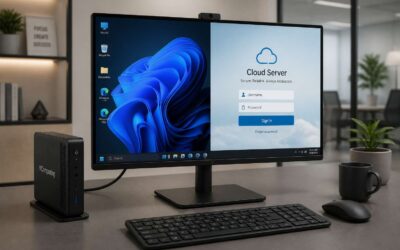
What is a thin client? A compact device that acts as a doorway to a central server or cloud—processing happens elsewhere while this slender frame handles input and display. Lighter, cooler, and easier to secure, it means fewer maintenance storms for South Africa’s IT teams.
When thin clients buy simplicity and resilience, consider these essentials:
- Centralised management and faster deployments
- Data stored on secure servers, reducing endpoint risk
- Lower total cost of ownership with simpler upgrades
In a market where connectivity and regulatory demands rub shoulders daily, the appeal is more than efficiency—it’s a quiet elegance, a nimble workstation that fits neatly into modern IT estates.
How thin clients differ from traditional PCs
In South Africa’s offices, a quiet statistic keeps budgets honest: up to 50% energy savings when you switch to thin clients. This device is a doorway to a central server, a slender window through which work is ordered and kept. For those weighing “thin clients buy” decisions, the appeal is clear and elegant.
Unlike old desktops, processing lives elsewhere—on a server or cloud—leaving only input and display in the client. That shift softens the armor against malware, simplifies patch cycles, and nudges capital expenditure toward a predictable rhythm.
In South Africa’s evolving estates, this model offers resilience where networks bend and compliance rules tighten. Fewer moving parts means steadier uptime, easier upgrades, and a cleaner security perimeter—a quiet fortress for the digital age.
Core components and remote desktop architecture
Across South Africa’s offices, a slender truth guides budgets: efficiency travels on quiet wings. Understanding thin clients and their value begins with the idea that power concentrates on a central server, while tiny endpoints carry only input and display. Maintenance becomes predictable; upgrades feel simpler.
Here are the core components and architecture that keep the system humming:
- Endpoint devices: slim, energy-efficient clients that render the display
- Central server or virtual desktop infrastructure (VDI)
- Display protocol and client software that stream apps securely
- Management, patching, and security controls that scale across floors
Remote desktop architecture folds offices into a shared ecosystem: input travels to the server, apps run, and pixels return as a canvas. Latency matters, so networks are tuned and gateways shield the perimeter. For those weighing ‘thin clients buy’ decisions, the allure is predictable costs.
Key benefits and trade-offs
Across South Africa, IT budgets lean toward predictable costs rather than flashy upgrades. Understanding thin clients and their value helps leaders avoid surprise expenditures. When power sits on a central server and endpoints merely render input and display, maintenance becomes predictable and upgrades feel simpler. The result is steadier cash flow, fewer support headaches, and smoother journeys through busy quarters. That’s a win for budgets!
Key benefits include:
- Lower energy use and quieter hardware
- Simplified management and faster provisioning
- Stronger security through central controls
For organisations weighing thin clients buy decisions, the logic is clear: central resources drive a lean, resilient workspace. Some applications may push for more local processing or higher bandwidth, so network reliability and gateway setup matter, but the upside remains steadier operations and easier scale as teams grow.
Critical factors to evaluate before purchasing thin clients
Performance and scalability requirements
A sharp IT director in Cape Town once said, ‘We swapped aging desktops for a cloud-backed fleet, and productivity leapt.’ Before you thin clients buy, gauge how performance and scalability will ride the wave of your everyday tasks—from basic apps to bandwidth-heavy remote sessions.
Critical questions include:
- User concurrency and peak workloads
- Display protocol efficiency and network bandwidth
- Server capacity and virtualization backend
- Security, management, and firmware lifecycle
A well-rounded plan also anticipates growth, vendor support, licensing terms, and the balance between centralized command and the quiet pace of daily work.
Choosing the right OS and virtualization strategy
‘We swapped aging desktops for a cloud-backed fleet, and productivity leapt.’ That line could be your mantra when you thin clients buy—where the thrill of central control meets the tango of bandwidth in South Africa’s offices.
Critical factors to evaluate before you thin clients buy include:
- OS footprint and security lifecycle
- Virtualization backend compatibility and licensing terms
- Display protocol efficiency and network bandwidth
- Firmware lifecycle and centralized management
Choosing the right OS and virtualization strategy keeps the daily grind smooth, and that balance between centralized command and quiet productivity is what makes South African teams resilient.
Display, networking, and peripheral support
In South Africa’s bustling offices, a single decision can tilt the tempo of the workday. For the discerning buyer, thin clients buy more than devices—they buy a disciplined rhythm where centralized control meets lean bandwidth. The display protocol becomes a heartbeat, and the network a lifeline that carries ideas across campuses and provinces.
Before you commit, consider how display, networking, and peripheral support play with your exact environment.
- Display protocol efficiency and driver compatibility across thin clients and endpoints
- Network bandwidth, latency, and QoS requirements for remote sessions
- Peripheral ecosystem: USB devices, printers, smart card readers, and docking options
These elements determine how smoothly teams collaborate and how confidently you deploy a fleet that scales without crowding the network.
Security, updates, and management tooling
Across South Africa’s bustling offices, security wears the crown. When you weigh thin clients buy, you’re choosing a shield that travels with every session—cunningly light, relentlessly guarded. The triad of security, updates, and management tooling stands as the stalwart compass guiding every deployment through audits and compliance lanes.
Updates must arrive like a steady rain, patch cadence aligned with risk cycles; management tooling should scale across fleets without breaking the network’s spell. Look for centralized patching, secure boot, trusted platform modules, and RBAC that respects teams and realms.
- Security posture: hardware root of trust, encrypted sessions
- Update cadence: remote, verifiable firmware patches
- Management tooling: single pane of glass, role-based access
Total cost of ownership and licensing
Across South Africa’s offices, the moment you weigh thin clients buy decisions, the conversation shifts from sticker price to long-term certainty. The strongest signal is total cost of ownership: energy, spares, and upgrade cadence that quietly shape budgets for years. Licensing models are the second chorus, quietly deciding who pays when and how often.
- Total cost of ownership: upfront price, ongoing energy use, maintenance, and upgrades over time.
- Licensing and virtualization: per-seat vs per-device models, renewal costs, and audit requirements.
- Lifecycle and support: warranty terms, end-of-life plans, and vendor roadmaps.
- Interoperability and management: OS options, remote management, and security alignment.
Ultimately, thin clients buy decisions should be measured against a holistic deployment forecast—space, power, and people—so the fleet remains lean, secure, and future-proof.
Deployment scenarios and best practices
Education and campus labs
Across South Africa’s schools and universities, labs that embrace thin clients are trading desktop clutter for clarity and speed. Studies show that campuses can cut hardware refresh cycles and support costs by up to 40%, freeing funds for smarter teaching tools. In this shift, classrooms become flexible spaces where students log into secure desktops from any device, and teachers swap tasks without wrestling with desktop drivers.
Deployment scenarios vary by need.
- Classroom labs with shared desktops
- Open-access labs for student public access
- Library kiosks and faculty offices for quick access
Best practices in education and campus labs focus on standardization and reliability. Choose a universal image strategy, plan for updates, and align security with student data protection. In the thin clients buy journey, the goal is a consistent user experience across devices while administrators monitor performance from a single console and push patches without downtime.
Corporate workspaces and call centers
Across South Africa’s corporate campuses, deployment choices shape everyday productivity. In offices and call centers, a simple truth guides every plan: centralized management and a consistent user experience beat scattered desktops. For teams weighing thin clients buy decisions, a single secure image across devices unlocks faster onboarding, easier support, and calmer networks. Staff can log in from any device, while managers monitor performance from one console and push updates without downtime.
- Private desks for executives and teams with secure login
- Shared desktops on open floors or contact-center rows
- Lobby kiosks and guest stations for quick access and guidance
Best practices in corporate workspaces and call centers focus on standardization and reliability. Adopt a universal image strategy, plan updates, and align security with data protection. A single-management console keeps devices in sync, minimizes licensing complexity, and supports a humane, uninterrupted customer experience.
Healthcare and patient data security
In South Africa’s health sector, patient privacy isn’t optional—it’s the bedrock of trust. When hospitals and clinics shift to thin clients, data stays centralized, access is tightly logged, and every screen shares a consistent, auditable experience across devices.
For organisations weighing thin clients buy decisions, deployment patterns span from small clinics to high-traffic hospitals and telehealth kiosks:
- Private clinics and GP surgeries with centralized thin-client desks
- Radiology reading rooms and wards needing rapid, secure image access
- Telehealth booths and patient guidance kiosks for self-service
Best practices emphasize role-based access, encrypted channels, and robust audit trails. A standardized image baseline and careful update governance help keep patient data secure while maintaining performance across South Africa’s healthcare campuses. This approach makes thin clients buy decisions easier.
Remote and hybrid work environments
Across South Africa’s dispersed work landscape, remote and hybrid setups demand reliability and simplicity. The thin clients buy decision is gaining momentum as teams lean on centralized apps and cloud desktops, keeping data in one place and users on a predictable, auditable path no matter where they connect. In such environments, performance hinges on efficient session handling and smooth offline fallbacks when networks wobble in rural towns or bustling metros alike.
- Remote sales teams accessing centralized apps from home offices
- Hybrid call-centre floors with shared thin-client desks
- Field service hubs and telehealth kiosks connected to the same core image
Best practices emphasize policy-driven access, encrypted channels, and inventory-agnostic management so updates land uniformly. A lean image baseline and consistent driver sets help maintain user experience without piling on complexity, while analytics guardrails watch for anomalies across South Africa’s diverse campuses.
Edge computing and offline capability
Across SA’s dispersed work landscape, speed and reliability are the new currency. A recent SA SMB study found 42% experience outages that cost hours weekly. That’s where edge computing and offline capability become silent partners. When you weigh thin clients buy options, prioritize devices and images designed for quick boot, local caching, and graceful offline fallbacks, so teams stay productive even when the network falters.
- Regional edge gateways handle local sessions and reduce WAN dependency
- Lean, modular images boot quickly and recover gracefully after outages
- Policy-driven updates with encrypted channels and audit-ready logs
Deployment patterns lean into edge computing and offline resilience, ensuring a consistent experience across campuses and clinics.
Shopping guide and budget tips for thin clients
Where to buy thin clients (vendors and marketplaces)
Across South Africa, energy-efficient thin clients have helped SMBs trim electricity bills by up to 40%, turning IT budgets into lean, well-tuned engines. As you navigate the market, thin clients buy more than hardware—they buy resilience and ease of management. In this realm, choose vendors who offer solid warranties, predictable licensing, and robust remote support.
- Warranty depth and local service coverage
- Total cost of ownership: hardware, licenses, and remote-management tooling
- Energy efficiency, compact form factors, and ease of deployment
Budget tips lean on value over vanity: consider refurbished units from authorized partners, compare total costs over three to five years, and weigh service contracts against upfront discounts. In the SA landscape, seasoned marketplaces and local distributors balance price with after-sales assurance, helping you stretch every rand while keeping data secure and systems stable.
Comparing models: CPU, RAM, I/O, and energy efficiency
In SA offices, a precise choice can rewrite the energy bill. Across South Africa, energy-efficient thin clients have helped SMBs trim electricity bills by up to 40%—that kind of saving is real. When you shop, thin clients buy more than hardware: you buy resilience and ease of management in a compact, whisper-quiet package.
Shopping guide: compare models by CPU, RAM, I/O, and energy efficiency—the quartet that drives performance and total cost over time.
- CPU: cores, clock speed, and boost behavior
- RAM: capacity and upgrade path
- I/O: USB-C/USB ports, display options, network connections
- Energy: idle power draw and overall efficiency
Budget context: refurbished units from authorized partners can stretch budgets, and it’s worth weighing three to five-year ownership against upfront discounts. When you thin clients buy, align licensing and remote-management tooling with your deployment to stay secure and stable.
Warranty, service plans, and vendor support
In SA offices, silent devices are loud on results. Downtime costs real money, and a well-chosen warranty is a shield. “The right support turns hardware into a service,” as one SA IT manager puts it, and that mindset sticks—your people stay productive even when a hiccup hits.
Shopping guide: warranty length matters—look for 12 to 36 months with options for on-site or depot coverage. Budget for an affordable extension and sturdy SLAs. Vendor support should include remote diagnostics, timely RMA, and a local point of contact to keep teams indoors and resilient.
- Warranty duration and coverage
- On-site vs depot service
- Extended plans and service-level agreements
- Local vendor support availability
- RMA turnaround and replacement policy
When you thin clients buy, ensure licensing and remote-management tooling are bundled with the warranty so the total cost of ownership stays predictable—and your fleet stays secure.
ROI and total cost of ownership considerations
Across South Africa’s offices, downtime costs ripple through productivity. When thin clients buy becomes a priority, the payoff isn’t just a leaner hardware bill—it’s steadier performance and a faster ROI, as teams stay online longer and glitches are resolved with minimal disruption.
Budgeting for total cost of ownership means looking ahead 12 to 36 months, selecting bundles that include licensing and remote-management tooling, and planning for scalable service levels. Explore how flexible support and predictable fees can keep IT budgets aligned with business goals.
- Capex vs Opex planning
- Licensing bundled with remote-management
- Spare parts and rapid RMA contingency
Such choices translate into tangible, long-range savings, turning procurement into a durable business advantage while preserving security, uptime, and user experience across diverse SA environments.


0 Comments