What is a Thin Client Kiosk and Why It Matters
Definition and Core Components of a Thin Client Kiosk
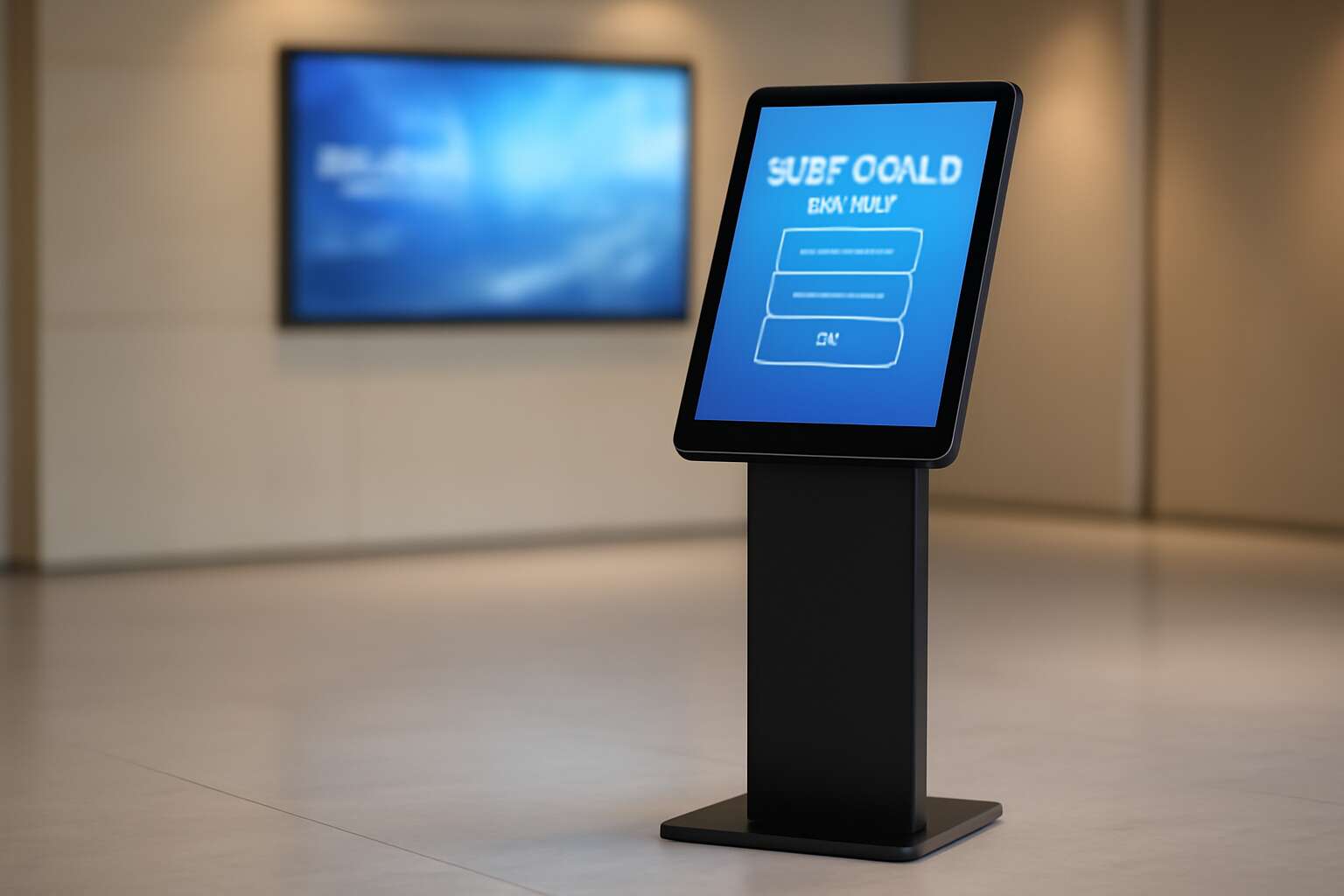
Across South Africa’s bustling storefronts and clinics, the thin client kiosk reshapes how service begins and ends. It is a compact, low-power terminal that relies on a centralized server to run applications, render interfaces, and store data. It offers a secure, fast user experience with minimal local software and a smaller attack surface.
Core components include:
- Lean hardware with solid-state storage
- Centralized server-based operating environment or virtual desktop infrastructure
- Centralized management and remote updates
- Secure boot, encryption, and session isolation
- Reliable network with peripherals (touchscreen, printer, card reader)
Why it matters: Centralization lowers maintenance, reduces downtime, and cuts operating costs. In South Africa’s diverse environments—retail, hospitality, healthcare—the approach delivers consistent performance, tighter security, and scalability without burdening local devices. Uptime translates to trust!
Benefits for Businesses and Public Spaces
Cities bustle, but a single compact terminal can alter the rhythm of a service desk. The thin client kiosk embodies restraint and power in one breath. In South Africa, queues shorten by up to 30% when such kiosks streamline service, turning complexity into calm.
By leaning on centralized servers, they keep staff free to help and apps rendering crisply with minimal local updates. The thin client kiosk reduces maintenance, limits downtime, and raises security across retail, healthcare, and government spaces. This is service redesigned for people, not screens.
- Faster, reliable performance with centralized apps
- Lower maintenance and easier remote updates
- Enhanced data security with centralized control
This is a quiet revolution in public spaces, where patience and precision replace noise and friction.
Common Use Cases Across Industries
A thin client kiosk is a compact terminal that draws its power from a central server, delivering crisp apps with minimal local fuss. In South Africa’s busy service spaces, a 25% reduction in average wait times has been observed when such kiosks handle routine interactions, turning crowded queues into calm, predictable moments.
In practice, organisations deploy these devices where people need quick, accurate information. Here are common use cases across industries:
- Public healthcare clinics for patient check-in and form submission
- Municipal service desks for licensing, permits, and ID verification
- Retail branches for self-service payments, ticketing, and information lookup
What matters is reliability, security, and ease of maintenance. Centralised apps render crisply, updates roll out remotely, and data stays protected behind one controlled door. I’ve seen rural clinics and urban government offices alike benefit from this quiet, human-centered technology.
Key Differentiators from Traditional PCs
In South Africa’s bustling service spaces, wait times can feel endless. A thin client kiosk, however, often trims those moments by about 25% when routine interactions flow through its quiet screen. It is a compact terminal that draws its power from a central server, rendering apps crisply while keeping hardware lean.
- Centralised software on a secure server
- Remote updates, no device touch
- Stronger security through a single access
- Lower maintenance and energy use
Trailing the shadows of clattering keyboards, this approach reduces chaos in public spaces. By decoupling processing from the user device, the kiosk offers predictable performance and simpler governance—key for high-turnover environments across South Africa.
Reliability, security, and easy maintenance are not marketing falsetto; they are the ledger by which organisations measure the thin client kiosk. It is the quiet sentinel at the information doorway, delivering crisp apps while the server bears the night-watch burden.
Choosing the Right Hardware for a Thin Client Kiosk
Selecting Processor and RAM for Optimal Performance
Selecting the right hardware for a thin client kiosk is the quiet, efficient engine behind a smooth user experience. In my experience, the processor and RAM are the heartbeat of performance, especially in busy public spaces across South Africa. A modest quad-core processor with 2 to 4 GB of RAM handles standard tasks with ease, while stepping up to 4 to 8 GB keeps apps responsive during peak load.
Storage is lean—think eMMC or a small SSD—because the OS is light and most processing happens centrally. A tidy GPU helps with crisp UI rendering, and a solid thermal design protects performance in sunlit lobbies. The goal is dependable cycles, minimal fan noise, and longevity in Africa’s public spaces!
- Processor capabilities and cores
- RAM capacity, speed, and bandwidth
- Thermal design and reliability in hot climates
Display, Touch, and Enclosure Considerations
In South Africa’s sunlit lobbies, a single glitchy screen can sour a first impression. Choosing the right hardware for a thin client kiosk goes beyond speed; it’s about reliability, clarity, and quiet presence in public spaces!
Display and touch are the handshake with your user. A daylight-readable display with crisp contrast and anti-glare keeps information legible from every angle. Responsive, glove-friendly touch ensures quick interactions, while a rugged, vandal-resistant enclosure protects against curious hands and dusty aisles.
Enclosure and mountings deserve respect: sealed connectors, easy cable management, and materials that endure heat and humidity.
- Display: brightness, contrast, anti-glare
- Touch: accuracy, latency, durability
- Enclosure: materials, seals, cleaning ease
A compact form factor and efficient cooling keep performance steady with minimal fan noise. In the end, the hardware becomes a silent partner in service delivery.
Power Efficiency and Thermal Management
In South Africa’s sunlit lobbies where first impressions matter, a thin client kiosk must be as reliable as a sunrise.
Quiet, efficient operation isn’t cosmetic; it’s a threshold for trust. Power efficiency and thermal management aren’t afterthoughts; they’re the steady hand that keeps hardware calm under public scrutiny. In spaces where people linger and queues form, heat and noise shape mood as much as the display.
- Low idle power profiles
- Passive cooling where possible
- Consolidated, robust power delivery
Reliability and Mounting Options
In sunlit lobbies across South Africa, reliability is a silent feature that customers notice first. I’ve seen a well-chosen thin client kiosk signal steadiness with every touch, a quiet partner that defies the glare and crowds. When resistance and uptime meet, trust follows like a sunrise.
Choosing mounting options for the system is not an afterthought; it is part of the experience. Secure, accessible, and tamper-resistant enclosures keep hardware calm in busy queues, while versatile mounting adapts to cramped corners and tall stands alike.
- Wall-mounted VESA enclosures for compact footprints
- Swing-arm or pedestal mounts for flexible viewing
- Recessed or anti-tamper housings for public spaces
Software and Security for Thin Client Kiosk Deployments
Operating Systems and Client-Server Architectures
A growing trend has emerged: the thin client kiosk model keeps sensitive data in the data center while front-end devices stay lean and potent!
Software choices lean toward secure, centralized management. Operating systems must be minimal, patched, and controlled. In a client-server architecture, the server enforces policies and delivers apps.
- Centralized software updates and lockdown policies
- Robust authentication and encrypted communications
- Remote diagnostics and failover capabilities
In South Africa, where public access points must stay reliable, this model reduces downtime and keeps sensitive data safer.
Security Best Practices: Lockdown, Updates, and Access Control
“Security is a process, not a product.” That line anchors our thin client kiosk deployments. Lockdown, updates, and access controls guard the public face where users interact with the device.
- Lockdown: kiosk mode, restricted features, USB disablement, and trusted app whitelisting
- Updates: centralized, automatic patches from a signed repository
- Access: MFA, smart cards, and role-based permissions enforced by the server
For South Africa’s public spaces, centralized software governance means fewer outages and safer data. Encrypted communications protect data in transit, while remote diagnostics and failover keep kiosks online during storms or load spikes. This is the strength of the thin client kiosk approach.
Managing Sessions, Profiles, and Remote Administration
Public kiosks experience downtime 78% due to session chaos—unseen, costly, and all too common. That reality shapes software and security for a thin client kiosk. In South Africa’s public spaces, centralized governance reduces outages and protects data, while encrypted channels keep conversations safe from prying eyes.
Managing sessions, profiles, and remote administration is the spine of reliability. I’ve seen how centralized session orchestration, strict profile isolation, and controlled roaming ensure users land in the right workspace every time! Remote diagnostics and lightweight agents monitor health, push patches, and keep the system responsive through spikes.
- Centralized session orchestration that keeps users in the right workspace
- Profile isolation and roaming for continuity across devices
- Remote diagnostics and administration that stay responsive during outages
These software commands, tailored for a thin client kiosk, forge a resilient, user-friendly interface that thrives in South Africa’s dynamic public environments.
Compliance and Data Privacy Considerations
In South Africa’s public spaces, data privacy isn’t a nice-to-have—it’s a mission-critical feature. Public kiosks still suffer 78% downtime from session chaos, so the software and security of a thin client kiosk must be rock-solid from day one. Encrypted conversations and resilient governance aren’t optional extras; they’re a competitive advantage.
When it comes to compliance, POPIA isn’t a checkbox—it’s a design principle. Data minimization, privacy-by-design, and strict access controls help keep personal details where they belong. Even amid the city’s bustle, robust logs and anomaly alerts prove you’re serious about trust.
To embed these values in deployments, consider guardrails like:
- POPIA-aligned data handling and user consent
- End-to-end encryption for transit and at rest, with secure sessions
- Comprehensive audit trails and clear incident visibility
Deployment Strategies and Maintenance for Thin Client Kiosk
Network Topology and Connection Redundancy
Public-facing spaces across South Africa live on the edge of connectivity. A well-tuned thin client kiosk deployment can approach 99.9% uptime, turning moments of latency into reliable service and solid rands saved. The goal is clear: keep sessions flowing, even when one link falters, without users noticing!
Deployment strategies hinge on a resilient network topology and smart redundancy. Embrace a layered approach: mix star and selective mesh for critical sites, pair fibre with cellular failover, and steer traffic through SD-WAN to adapt to changing conditions. Maintenance means remote provisioning, automated updates, and continuous health monitoring so the thin client kiosk remains in service with minimal on-site visits. Regular checks on power, UPS health, and environmental controls finish the picture.
- Redundant, diverse network paths and failover testing
- Centralized, remotely managed updates and configurations
- Automated monitoring with alerting and incident workflows
- Periodic disaster recovery drills and site restoration routines
Image Management, Patching, and Lifecycle
Across South Africa’s towns and rural clinics, a single failed patch can halt a busy kiosk for hours. The right image lifecycle for the thin client kiosk turns that risk into resilience, with remote provisioning and validated patches that keep sessions flowing!
Deployment strategies favour immutable golden images, a centralized repository, and staged rollouts that protect data and performance. The focus is on the thin client kiosk image management, patching, and lifecycle—ensuring updates are reliable, reversible, and auditable. Our approach relies on remote provisioning and a clear rollback path.
- Centralized image library and version control
- Automated patch testing and staged deployment
- Zero-touch provisioning with rollback capabilities
Health monitoring and audit trails weave through sites, making maintenance feel effortless. The system stays ready for the next shift, whether in schools, clinics, or township hubs.
Monitoring, Analytics, and Troubleshooting Tools
Across South Africa’s clinics, schools, and township hubs, a single failed update can stall a thin client kiosk for hours, disrupting patient check-ins and class routines. A recent stat shows uptime climbs when remote provisioning and safe rollbacks are in place. Deployment strategies now favour immutable baselines, centralized governance, and staged releases.
To keep sessions flowing, monitoring, analytics, and troubleshooting tools matter.
- Real-time health dashboards that span sites and networks
- Automated anomaly detection with proactive alerts
- Centralized logs and auditable event trails for fast root-cause analysis
Maintenance becomes anticipatory, not reactive, when issues surface early and are reverted cleanly. A zero-touch provisioning framework with a clear rollback path keeps the thin client kiosk ready for the next shift. In South Africa’s diverse environments, resilience translates to smoother service delivery.
Scaling from Small Installations to Enterprise Rollouts
Across South Africa’s clinics, schools, and township hubs, uptime climbs when devices are provisioned automatically and rolled back with a safety net. In recent pilots, organizations saw up to 28% less downtime and faster recovery, a boon for patient check-ins and classroom routines. The heart of this success lies in a disciplined deployment rhythm for the thin client kiosk ecosystem.
From a handful of kiosks to campus-wide networks, scalable maintenance favors modular images, automated validation, and predictable rollbacks. A brief, well-documented change path keeps shifts smooth and auditors satisfied, while a human touch remains for the rare edge case.
- Phased deployments with fast feedback
- Standardized base images and drivers
- Transparent change approvals and logs
ROI, TCO, and Support Services for Thin Client Kiosk
Cost of Ownership Breakdown
A well-placed thin client kiosk can transform customer interaction and IT budgets. In trials across public spaces and retail branches, organizations report a 25–40% reduction in total cost of ownership over three years when endpoints are standardized and centrally managed. The ROI is real—simple arithmetic that pays dividends with every transaction.
TCO includes upfront procurement, deployment, software licenses, energy, and ongoing maintenance. Factor in centralized image management, remote monitoring, and standardized configurations, and the savings compound. A lean support contract with rapid remote diagnostics protects uptime and your budget.
- Lower energy and cooling costs
- Fewer field visits through remote serviceability
- Longer lifecycles via centralized management
Support Services for the thin client kiosk are the unsung heroes—SLAs, timely patches, and remote administration that keep front-line staff from IT drama. In a South African context, this means local response times, regional parts, and partners versed in data sovereignty.
Return on Investment Scenarios
A well-executed kiosk rollout rewrites the ROI story. When endpoints are standardized and centrally managed, trials show a 25–40% TCO reduction over three years. The ROI is real, and it compounds as deployments scale and incidents shrink into near nonexistence.
- Lower energy and cooling costs
- Fewer field visits through remote serviceability
- Longer lifecycles via centralized management
Support Services for the thin client kiosk are the unsung heroes—SLAs, timely patches, and remote administration that keep front-line staff from IT drama. In a South African context, this means local response times, regional parts, and partners versed in data sovereignty.
Vendor Support, Warranties, and Service Models
In a market where downtime costs more than a cup of coffee, the ROI from a well-orchestrated thin client kiosk rollout becomes a quiet revolution. When endpoints are standardized and centrally managed, trials show a 25–40% TCO reduction over three years. The ROI is real, and it compounds as deployments scale and incidents shrink into near nonexistence.
- Vendor Support and SLAs aligned with South African regional service centers and data sovereignty
- Warranties backed by remote diagnostics and streamlined parts logistics to minimize field visits
- Service models from fully managed to hybrid remote/onsite that fit 24/7 operations
This is the backbone of the kiosk experience, ensuring energy, security, and uptime stay elegant.
Across South Africa, this support tapestry makes the thin client kiosk sing—local response times, regional parts, and partners versed in data sovereignty.



0 Comments